Slay - AI Usage Tracker
01The idea
Usage limits, turned into a game
AI coding plans cap how much you can use in a session, a day, or a week, and each tool hides its numbers somewhere different. Slay puts every plan’s limits in one overlay, and filling a bar earns points toward rewards. A skin decides how that looks; the rules underneath stay the same.
02Motion
Bars you can read at a glance
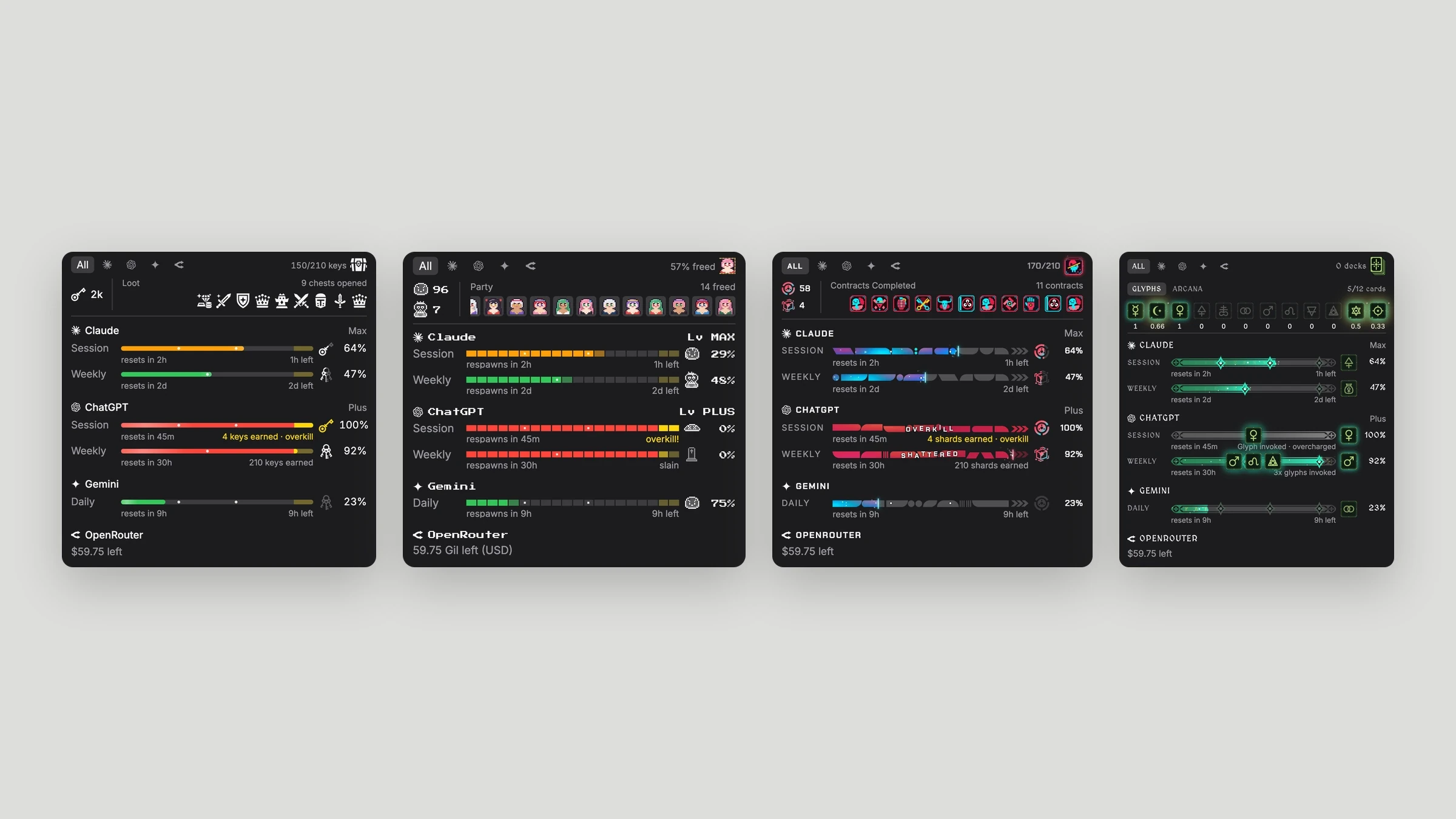
A bar in use moves, so you can see which limit is climbing without reading a number. Each skin does it its own way: a highlight sweep in Default, a pulsing square in Waifu Rescue, a cutting edge that flares and throws sparks in Cybershell, and a shine that lights the runes in Tarot.
03Process
Finding the right amount of game
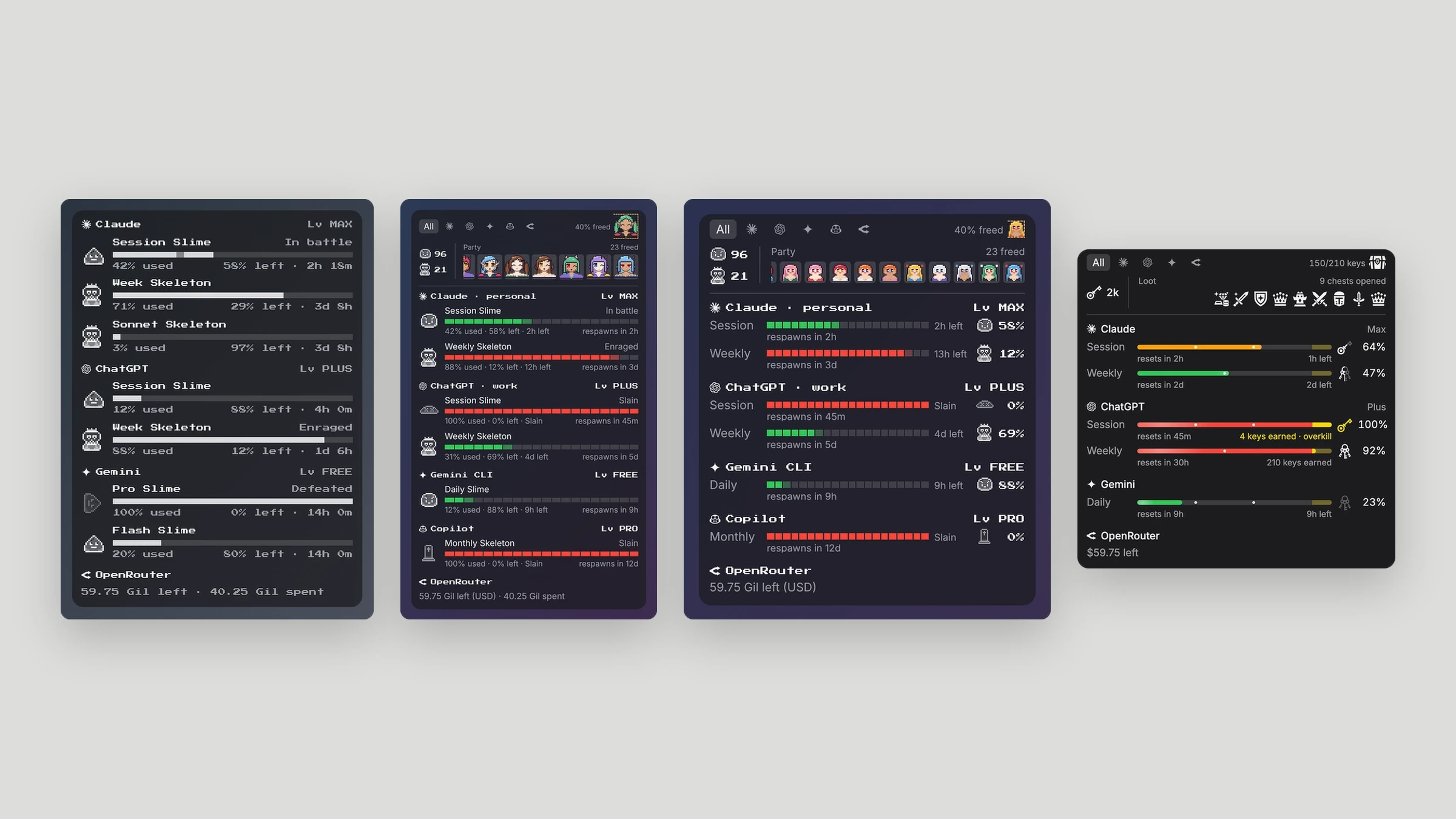
The first versions leaned hard into Final Fantasy, with a Battle mode full of slimes and skeletons. That went too far for something you glance at all day. I pulled it back to familiar left-to-right bars, a pixel font, and no drop shadows or heavy styling, then removed Battle mode entirely.
04Default skin
Keys, chests, and loot
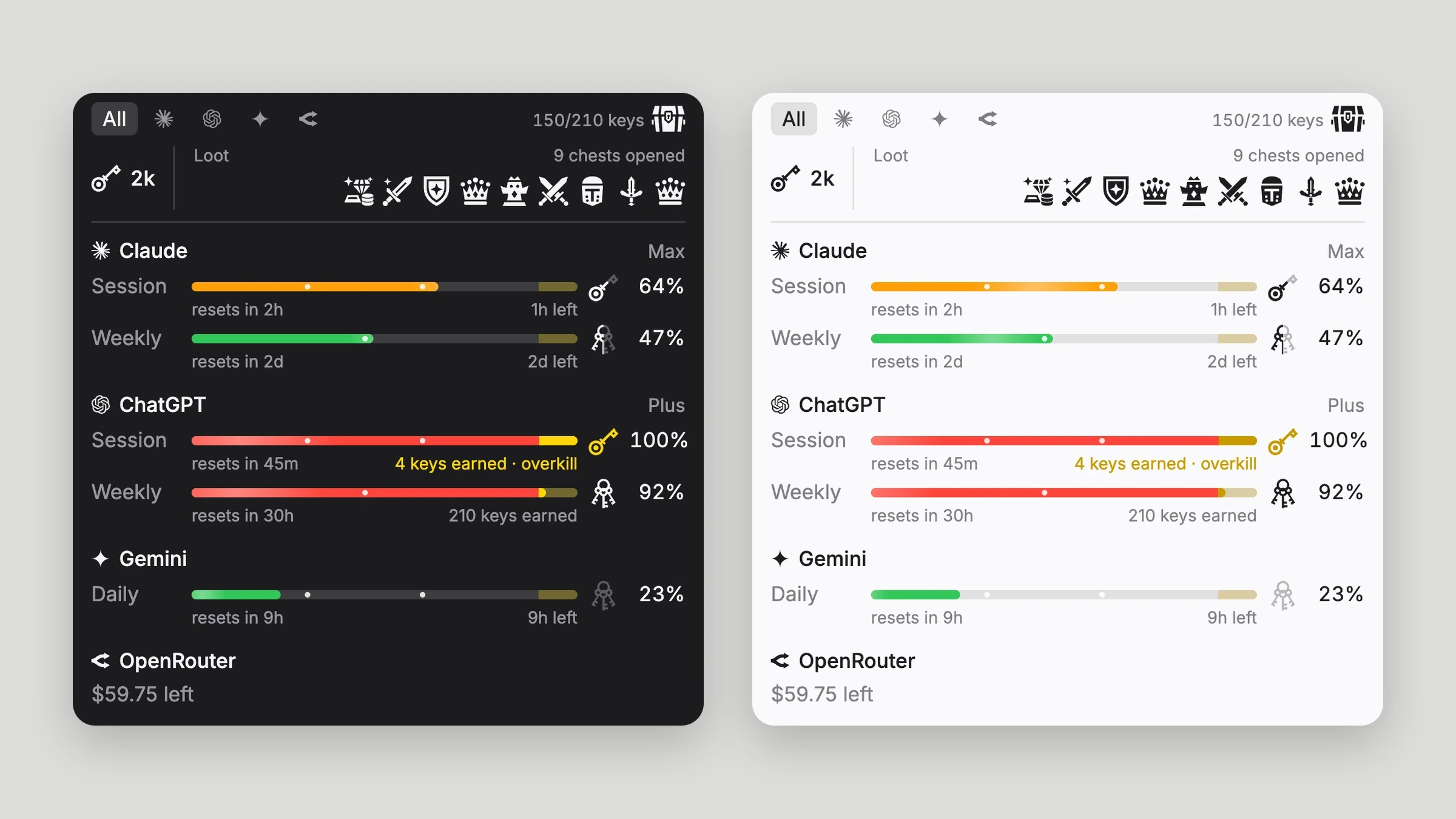
The free skin is the calm one: Inter only, with flat single-color icons I drew to match the flaming-sword app icon. Each limit fills toward a key, and 210 keys open a chest whose loot joins the row at the top. Bars move from green to amber to red as a limit fills, in dark and light mode.
05Waifu Rescue
A pixel-art boss fight
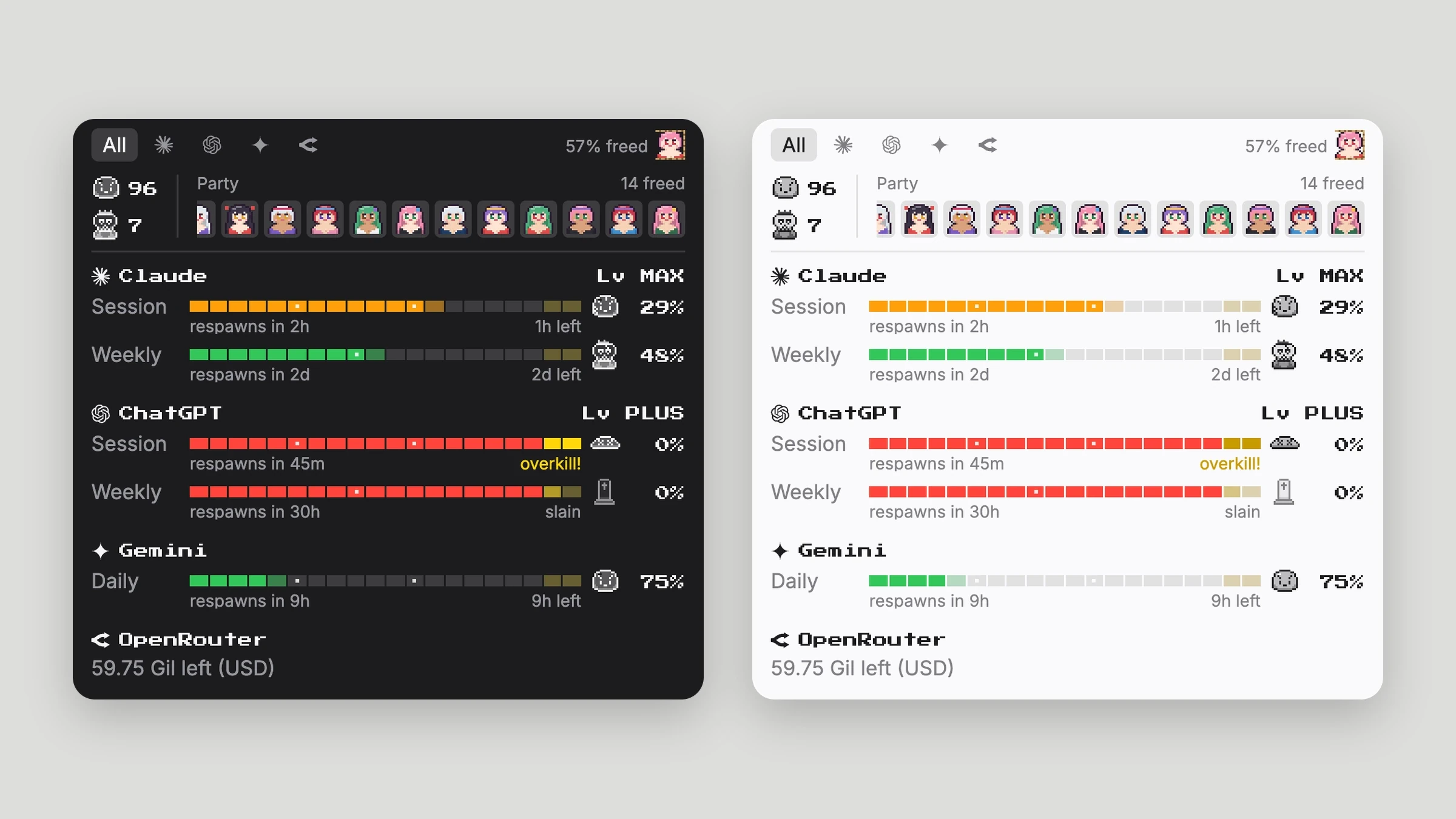
In this Pro skin every limit is a boss: slimes for sessions and days, skeletons for weeks and months. A boss’s HP is what’s left of the limit, and each reward frees a captive party member. I drew the sprites to strict rules: every one at 16px, crisp 1:1 pixels, and no movement that would blur them.
06Pro skins
Cybershell and Tarot, three themes each
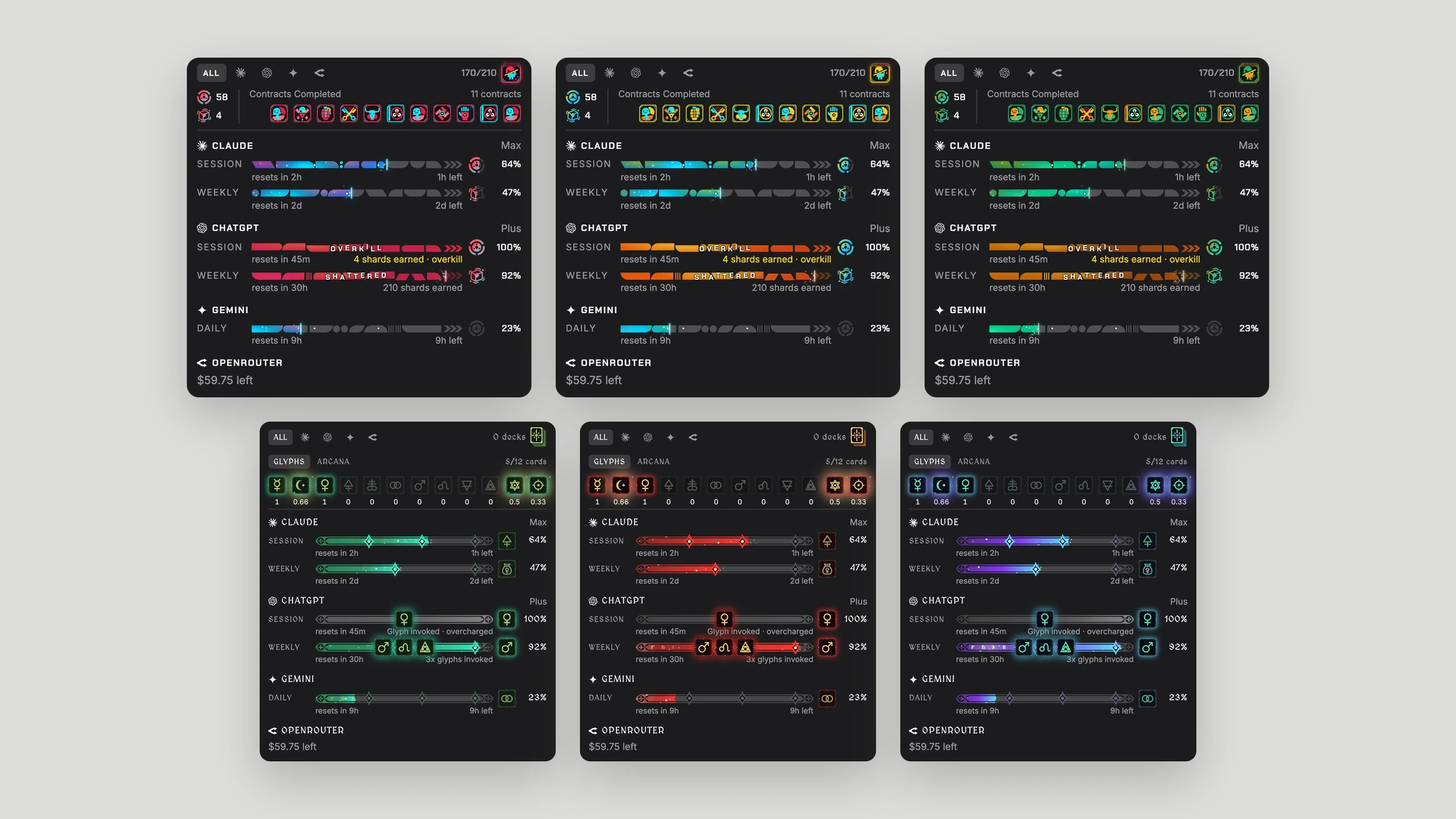
Cybershell is a cyberpunk netrunner look. Each bar is a unique run of blocks and slants that shatters when a limit is slain, and limits drop shards that complete contracts. Tarot fills mana bars toward glyphs, and three glyphs make one of 12 arcana cards on the way to a full deck. I drew the art for both.
07Scoring
One rule, four ways to show it
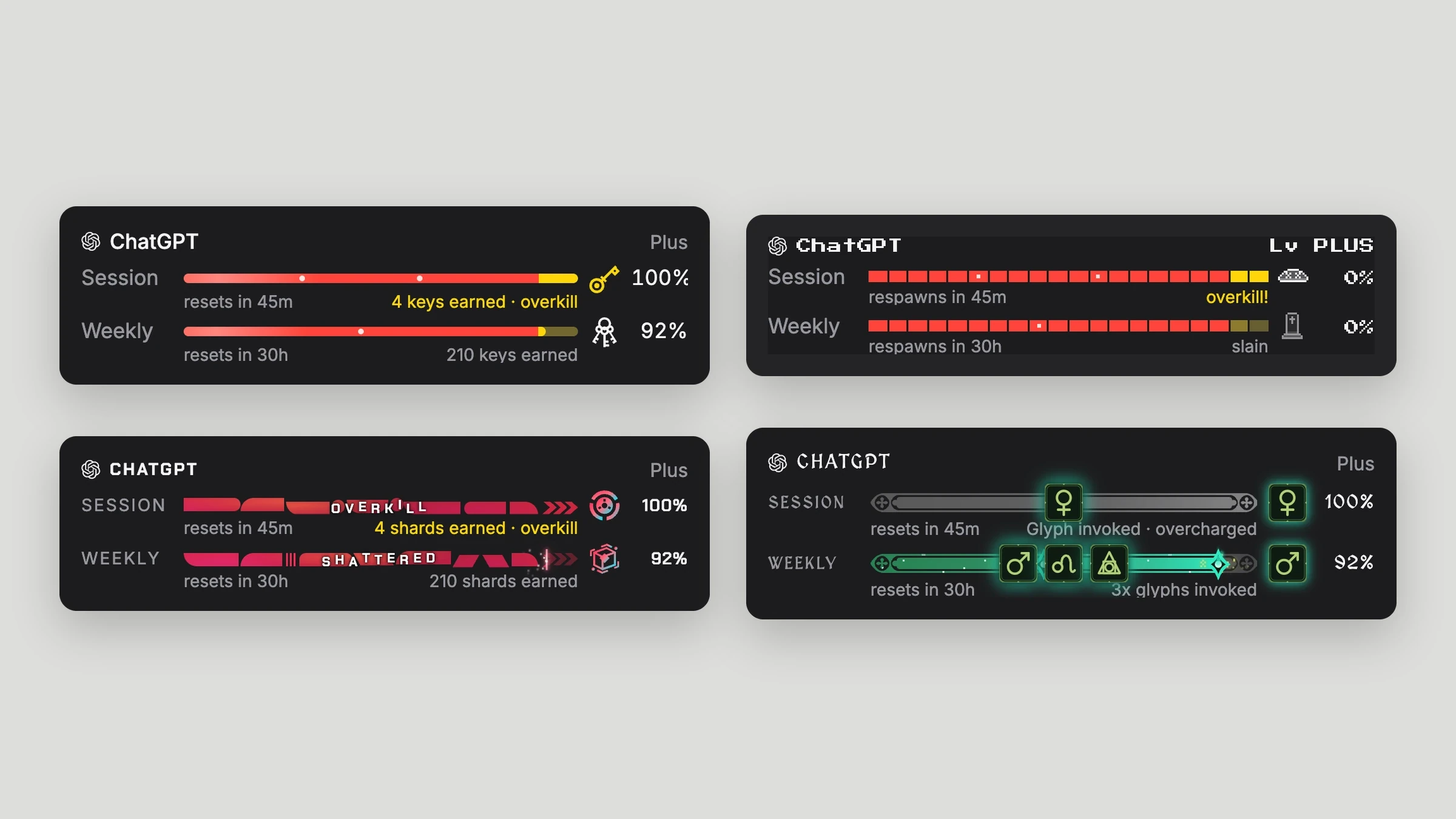
Milestones on each bar pay points: sessions and days at 30, 60, and 90%, weeks and months at 45 and 90%. A limit is slain at 90%, and pushing it to 100% is an overkill worth one more milestone. Here the same ChatGPT account reads as a gold key, gold squares, OVERKILL, and an overcharged glyph.
08Onboarding
An intro that explains the game
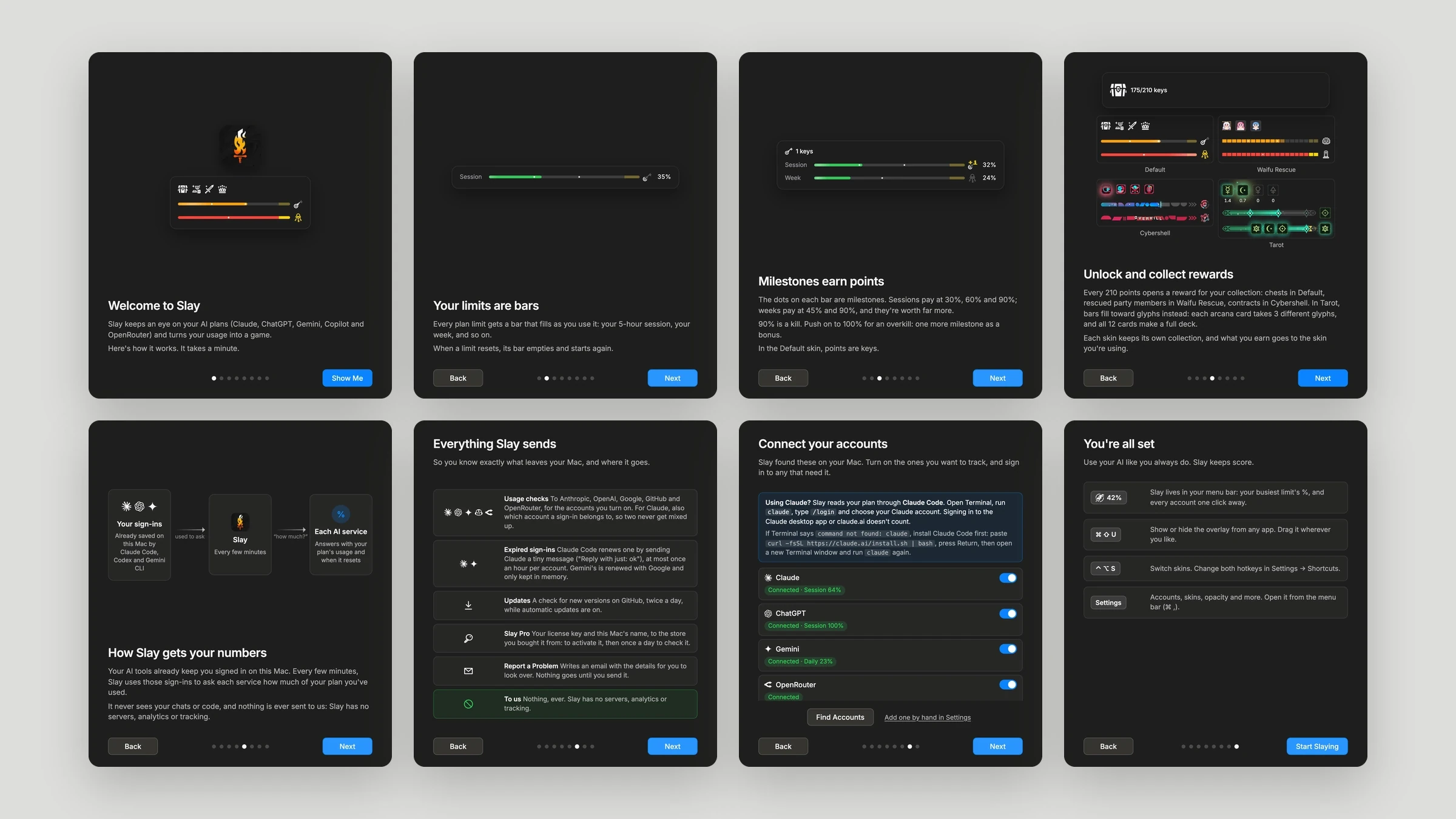
On first launch, eight short slides show how bars, milestones, and rewards work, then connect the accounts Slay found on the Mac. One slide lists everything Slay sends and where, because an app that reads your sign-ins should be upfront about it.
09Settings
Settings that help fix problems
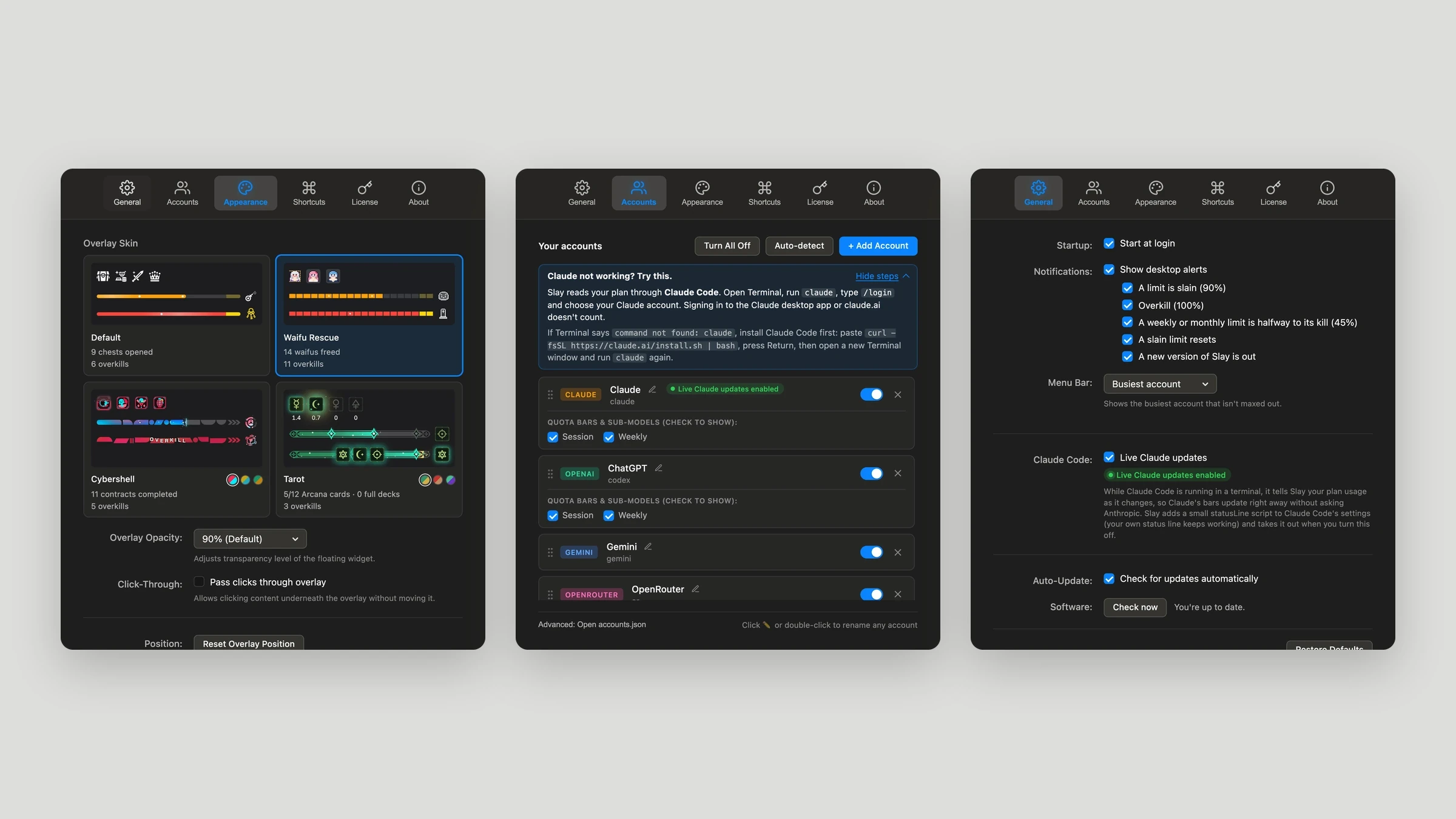
Settings follows the native Mac layout. Skins are picked from live previews, accounts can be dragged into order, and when an account can’t connect, Slay says why and offers the fix as a button: Sign In, Check Again, or Copy Details to send to whoever is helping.
10Outcome
Shipped and still updating
Slay is signed and notarized by Apple and updates itself from a public GitHub releases feed. Slay Pro is sold as a one-time license through Polar. The Mac App Store’s sandbox would block reading other tools’ sign-ins, so it ships as a direct download from geoffnori.com.
Try Slay
Slay is free for Mac. Download it, connect the AI tools you already use, and pick a skin. Slay Pro unlocks every other skin with a one-time purchase.