
Slay - AI Usage Tracker
See how much of your AI coding plans you’ve used, turned into a light game.
Version 1.0.0 · Released Oct 13, 2026
macOS 11 or later · Apple Silicon and Intel
First time opening it?
- Open the DMG and drag Slay to Applications.
- Open Slay. The first time, macOS blocks it because it isn’t signed with an Apple Developer ID yet.
- Go to System Settings → Privacy & Security, scroll down, and click Open Anyway.
- That’s it. Updates install from inside the app and won’t ask again.
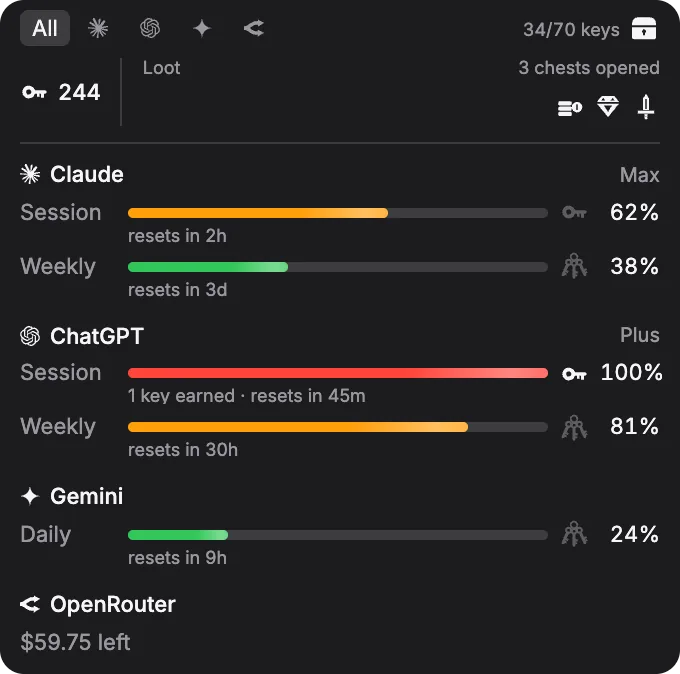
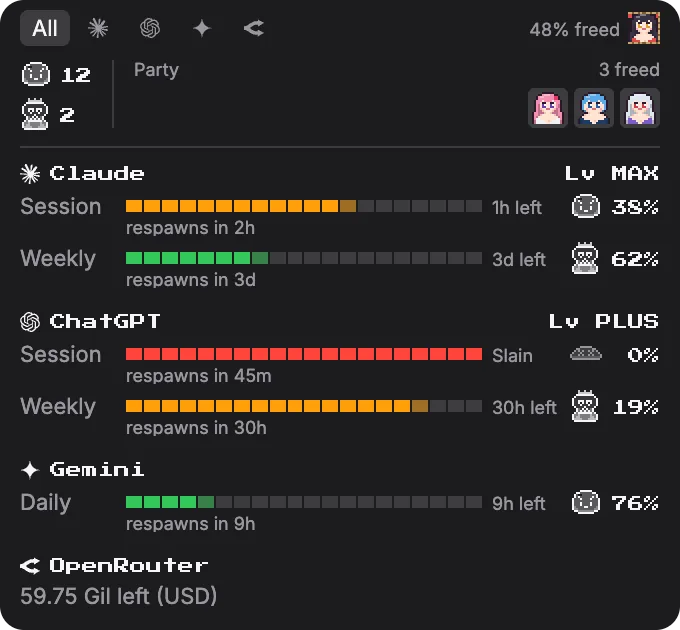
More skins in development
Slay Pro includes every future skin.
01Overview
Slay is a free menu bar app and desktop overlay that shows how close you are to the limits on your AI coding plans: Claude Code, ChatGPT and Codex, Gemini CLI, GitHub Copilot, and OpenRouter, across as many accounts as you have.
Every limit you max out earns points, and enough points earn a reward. Pick a skin to change how that looks: Default fills bars toward keys that open treasure chests, and Waifu Rescue turns each limit into a pixel boss to defeat.
Every plan in one place
Session, daily, weekly, and monthly limits for Claude, ChatGPT and Codex, Gemini, Copilot, and OpenRouter credits, with when each one resets.
A floating overlay
A small translucent panel that stays above your other apps on every desktop. Drag it, resize it, set its opacity, or make it click-through.
Your menu bar at a glance
The menu bar icon shows the busiest account’s percentage, with refresh, skins, accounts, and settings one click away.
Signs in on its own
Slay finds the logins Claude Code, Codex, and Gemini CLI already saved on your Mac. API-key providers can be added by hand.
02Free vs Pro
Free
- Usage tracking for every supported plan
- Menu bar icon and desktop overlay
- The Default skin
- Automatic updates
Slay Pro
- Everything in Free
- Every other skin, including Waifu Rescue
- Every future skin
- Use it on up to 3 computers
03Privacy
Slay reads your usage through the AI tools’ own logins on your computer and asks each provider directly. Nothing is sent to me: no account, no analytics, no tracking. The only other thing it checks is GitHub, for updates. Activating Slay Pro checks your license key with Polar.
04Changelog
1.0.0 Oct 13, 2026
- Initial public release of Slay for macOS (Apple Silicon and Intel universal build).
- Menu bar tray monitor tracking AI plan quotas across Claude, OpenAI/Codex, Gemini, Copilot, and OpenRouter.
- Floating desktop overlay with configurable skins (Minimal Default and Waifu Rescue).
- Settings menu for launching at login, automatic background update checks, account management, and sub-quota visibility filters.
- Slay Pro: a license key from Polar unlocks every overlay skin except Default. Usage tracking stays free.
- Built-in updater support pulling signed release bundles from swiftkast/slay-releases.