
Dreamscape Cart Manager
01The brief
Designing for hardware we didn’t build
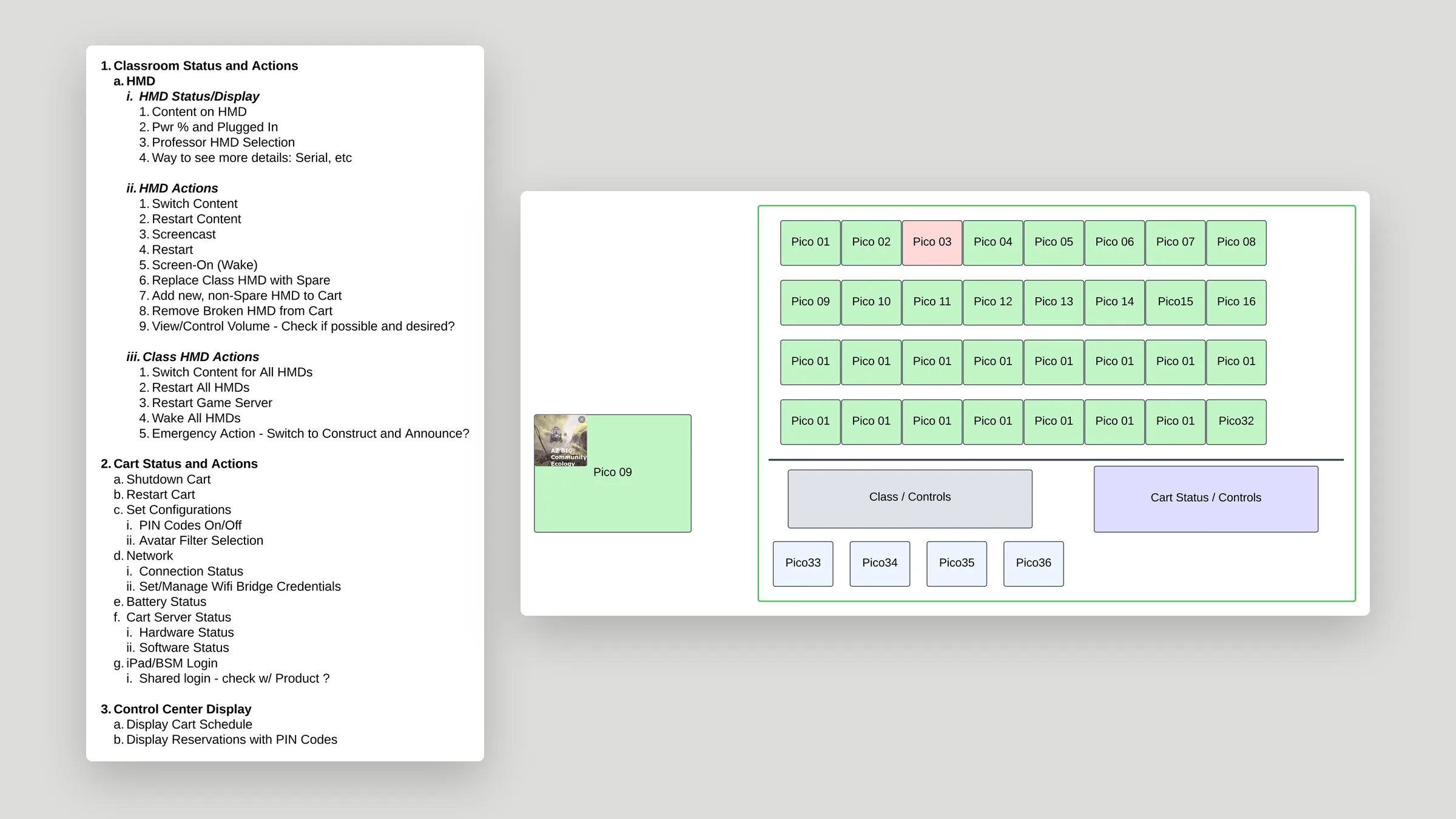
Dreamscape provided the spec: the cart hardware, the resolution of the tablet built into it, and the statuses and actions an educator needs, from switching content to swapping in a spare. My job was the application that runs on that tablet.
02Exploration
Three ways to show status
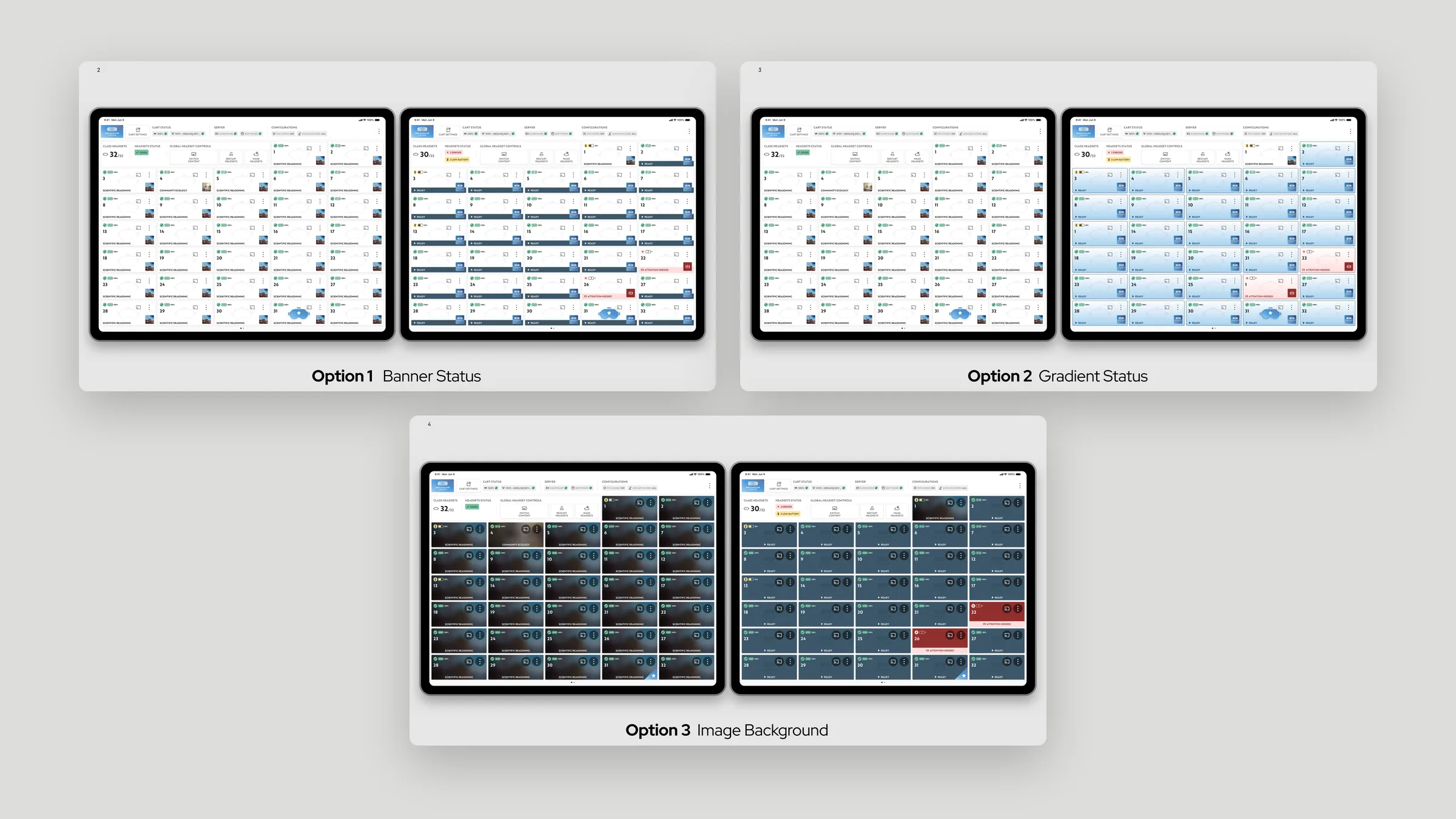
I explored three treatments for the headset grid, putting a banner, a gradient, or an image background behind each card, and compared how clearly each showed headset status.
03Overview
One screen for the whole cart
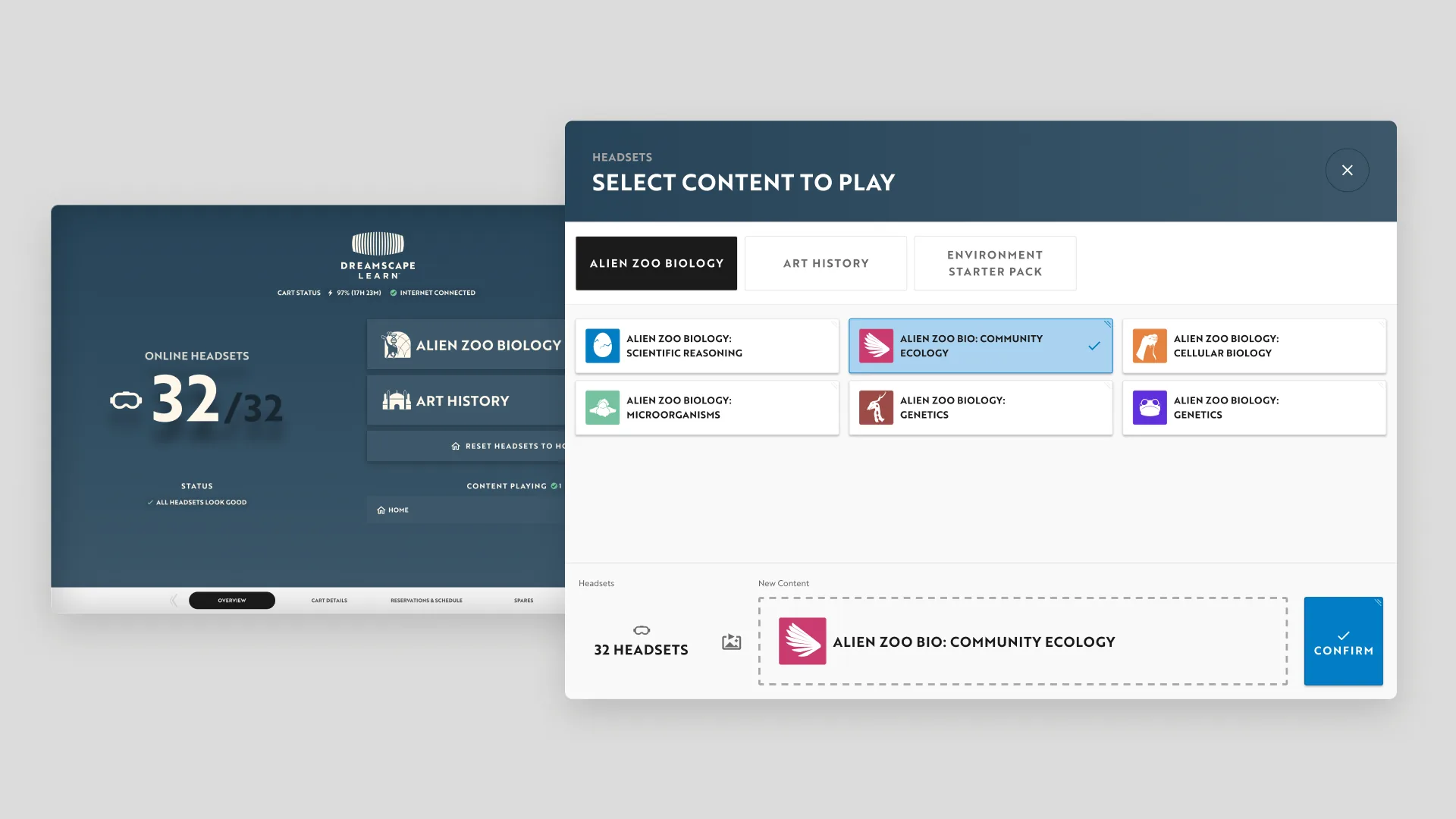
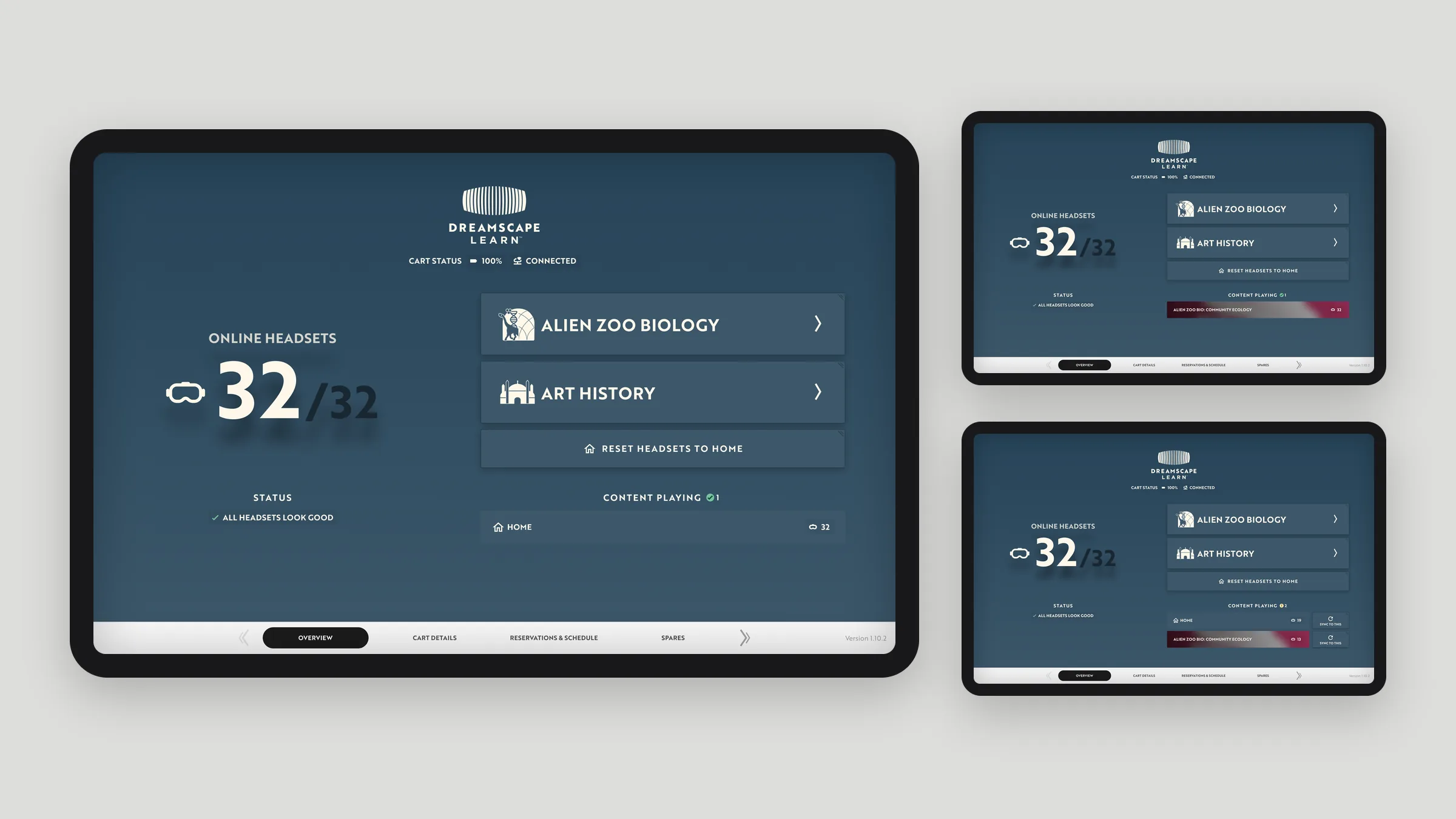
The home screen shows how many headsets are online and what’s playing. Choosing new content sends it to every headset in the cart at once.
04Cart details
Every headset, live
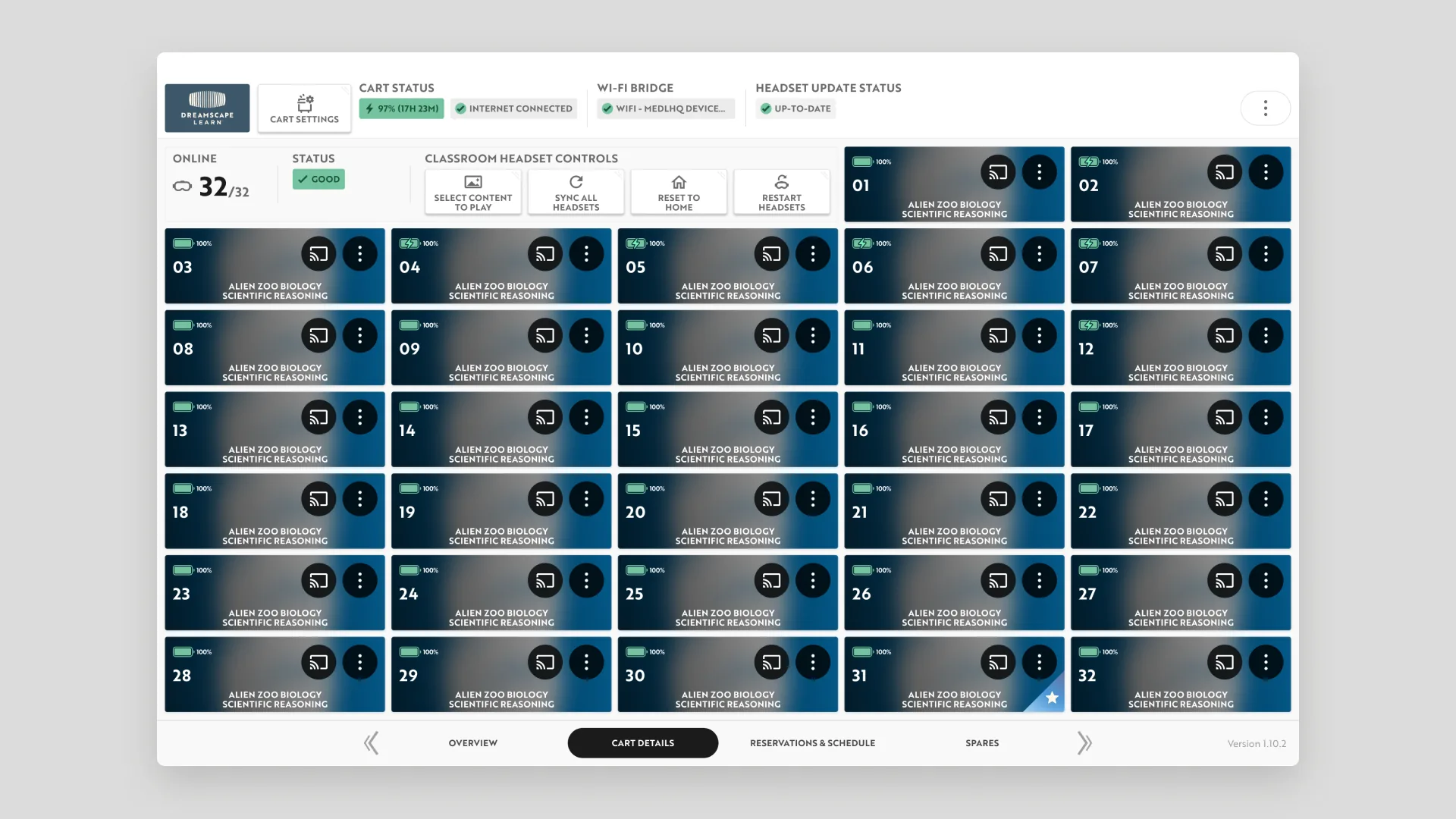
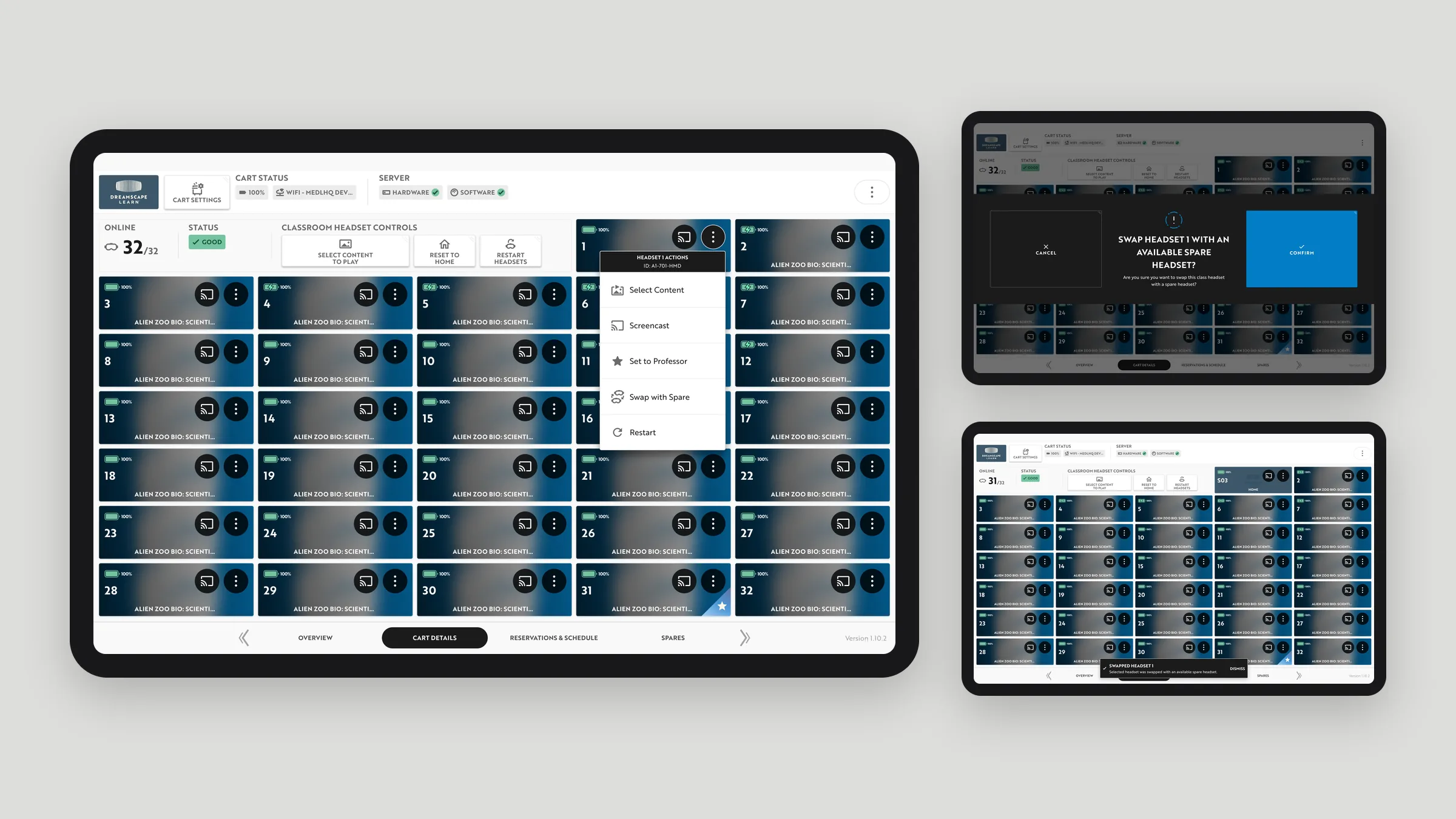
Cart Details shows each headset’s battery, current content, and cast controls, next to the cart’s own battery, Wi-Fi bridge, and update status.
05States
Designing every device state
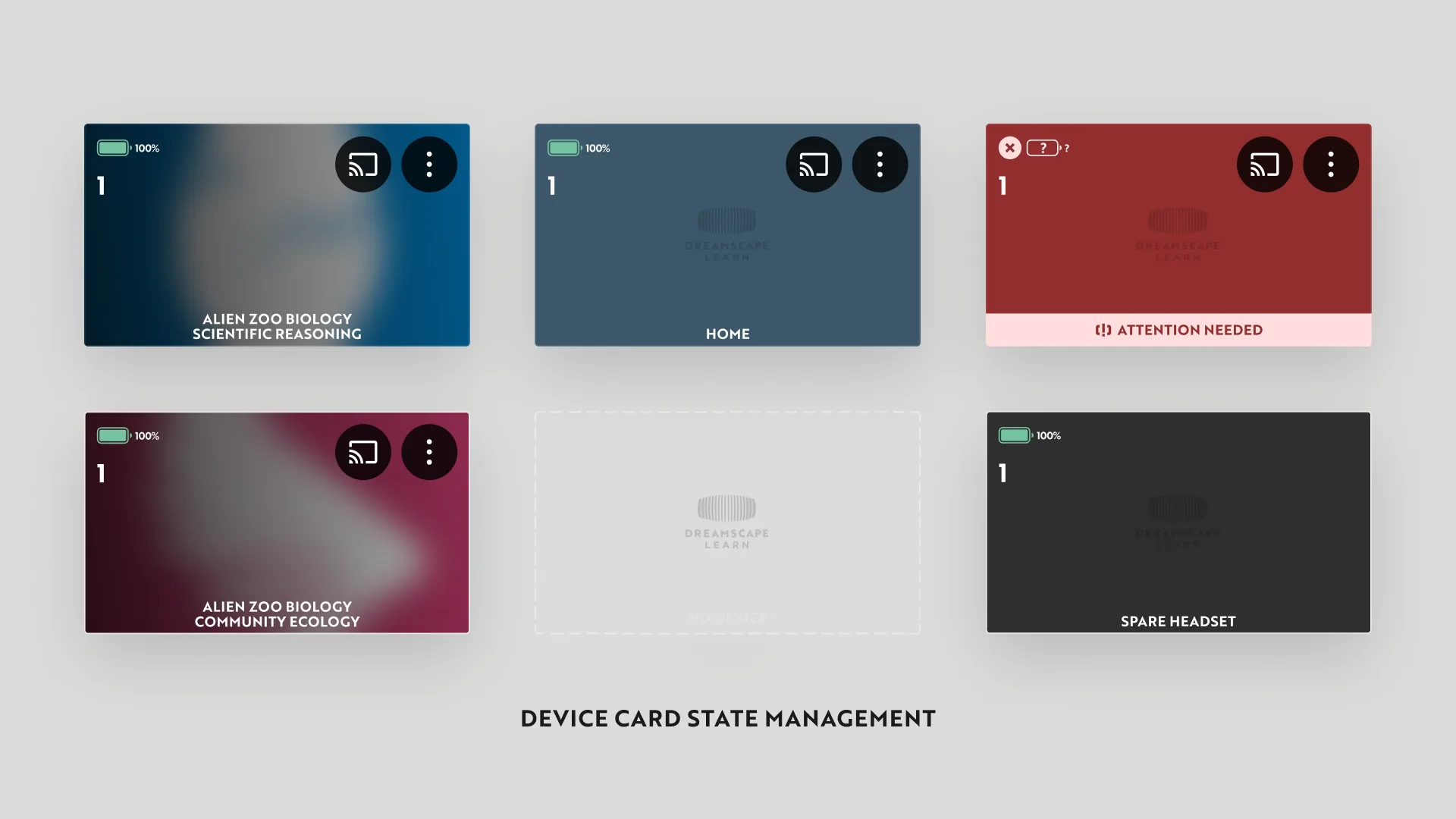
Each headset card has a distinct look for playing content, sitting at home, needing attention, working as a spare, or not being connected, so an educator can scan 30+ headsets and spot the one that needs help.
06Flows
Sending content to a class
Choosing content sends it to every headset at once, with clear success and failure states, including when the cart isn’t connected to the internet.
07Spares
Swapping in a spare mid-class
When a headset has a problem, an educator can swap it for one of the cart’s spares in a few steps, right from the dashboard.
08Quick actions
Every headset has its own menu
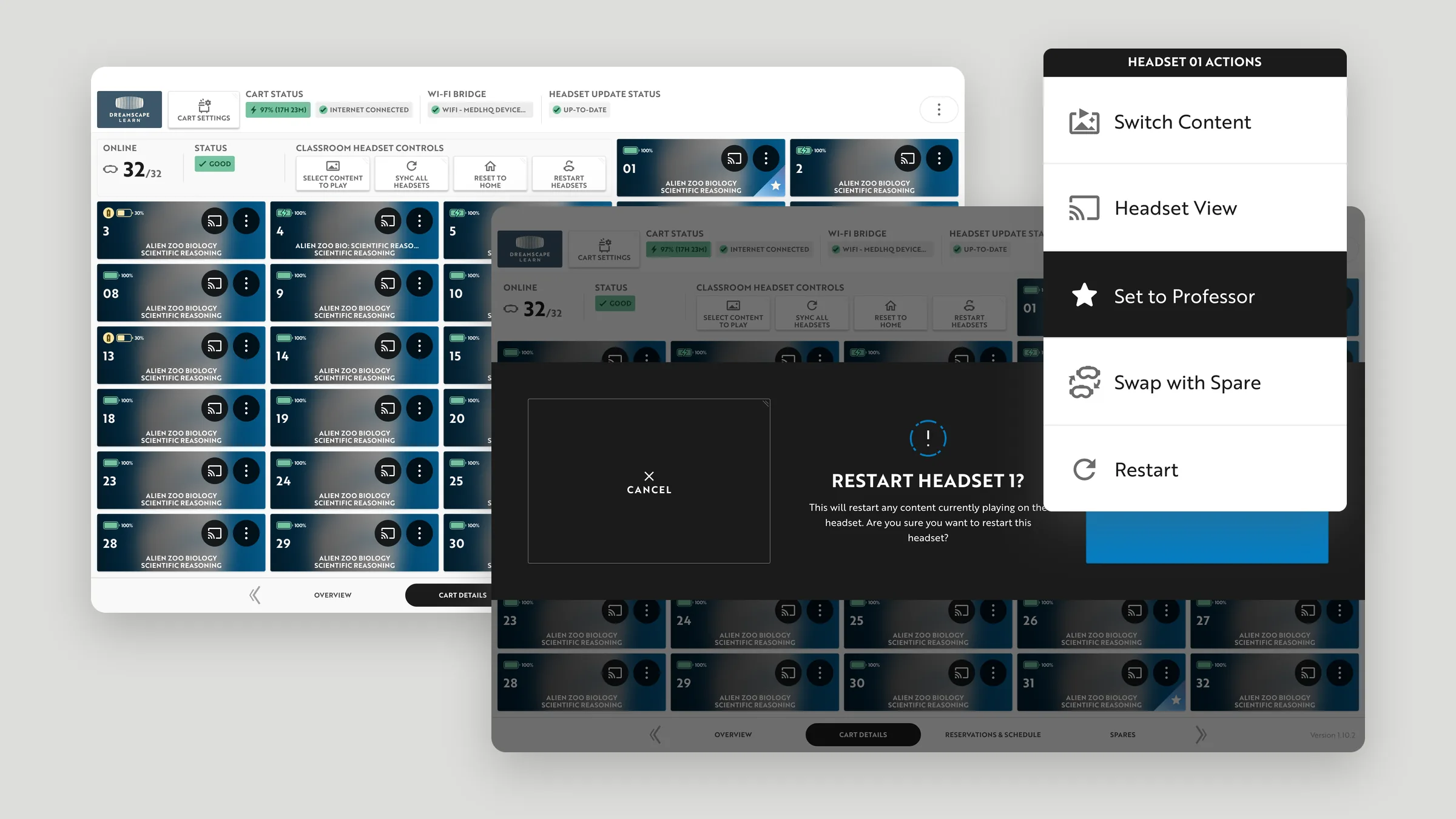
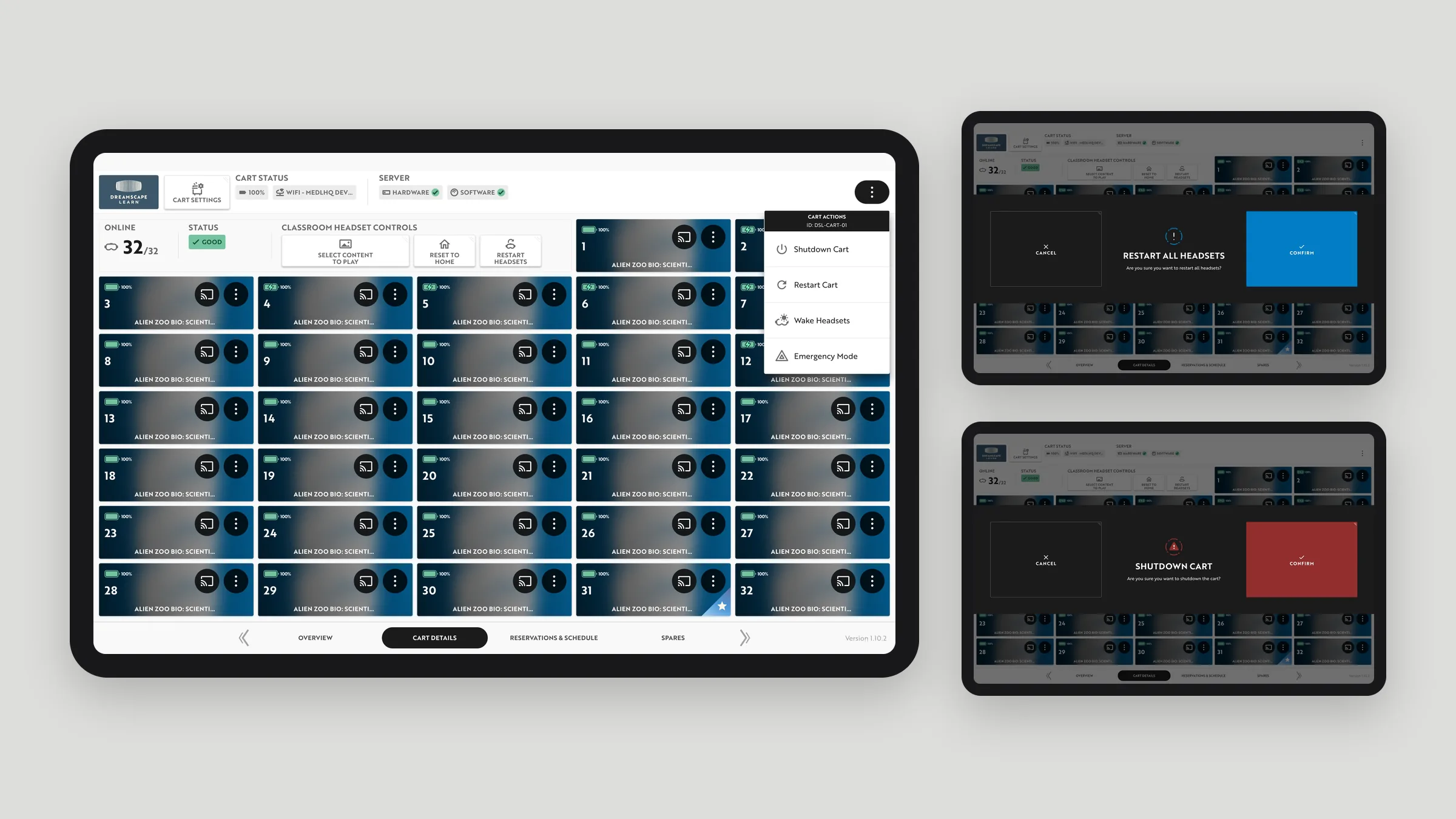
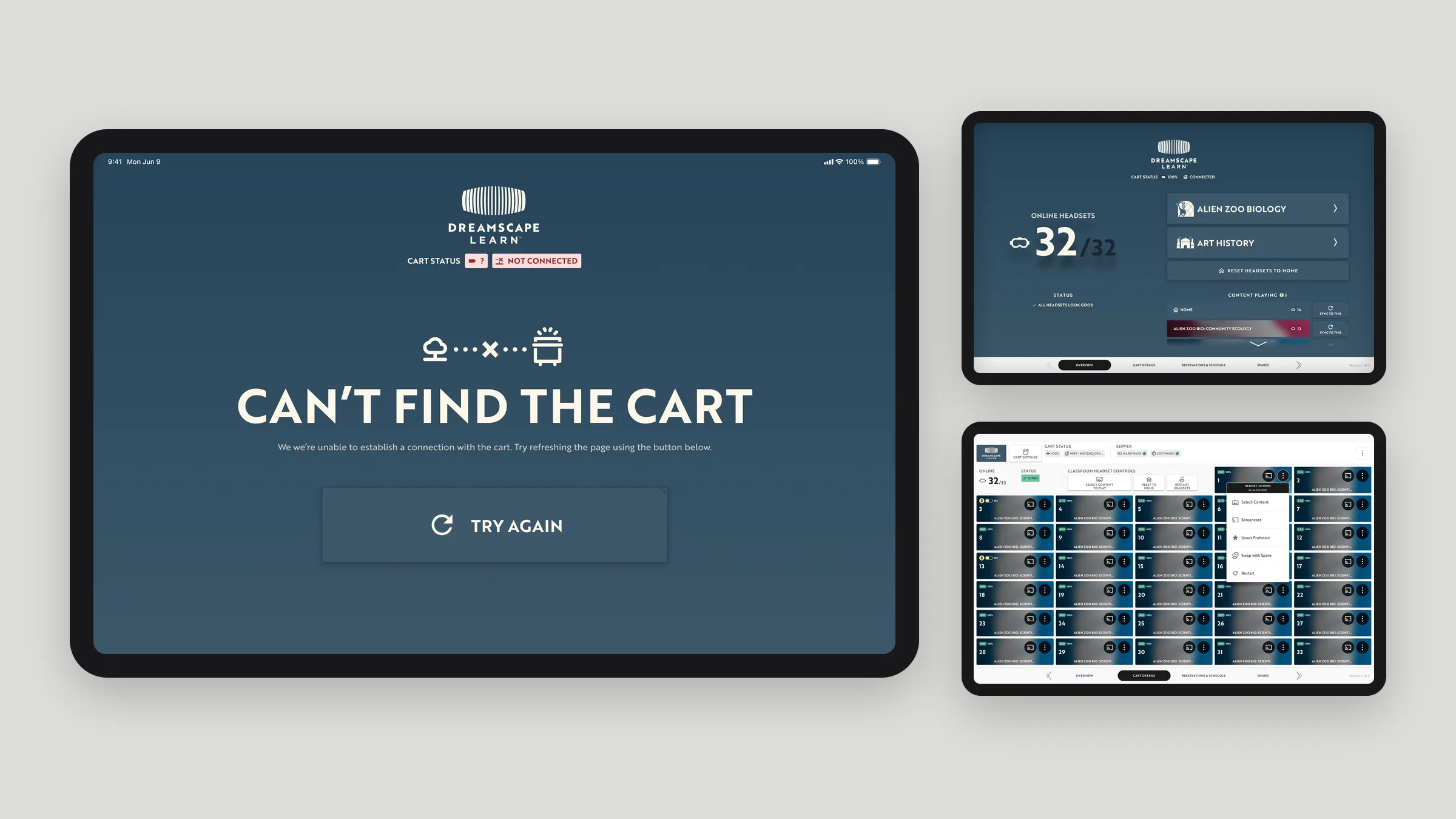
Each headset card opens a menu to switch its content, view what it’s showing, set it as the professor’s headset, swap it with a spare, or restart it. Restarting asks for confirmation, since it stops what’s playing.
09Cart actions
Big actions, clearly guarded
Cart-wide actions like emergency mode, restarting every headset, or shutting down the cart each get a confirmation step, so nothing that affects a whole class happens by accident.
10Edge cases
Planning for what goes wrong
Edge cases got the same care as the main screens: a cart that can’t be found on the network, several problems at once, and headsets that haven’t been set up yet.
11Reservations
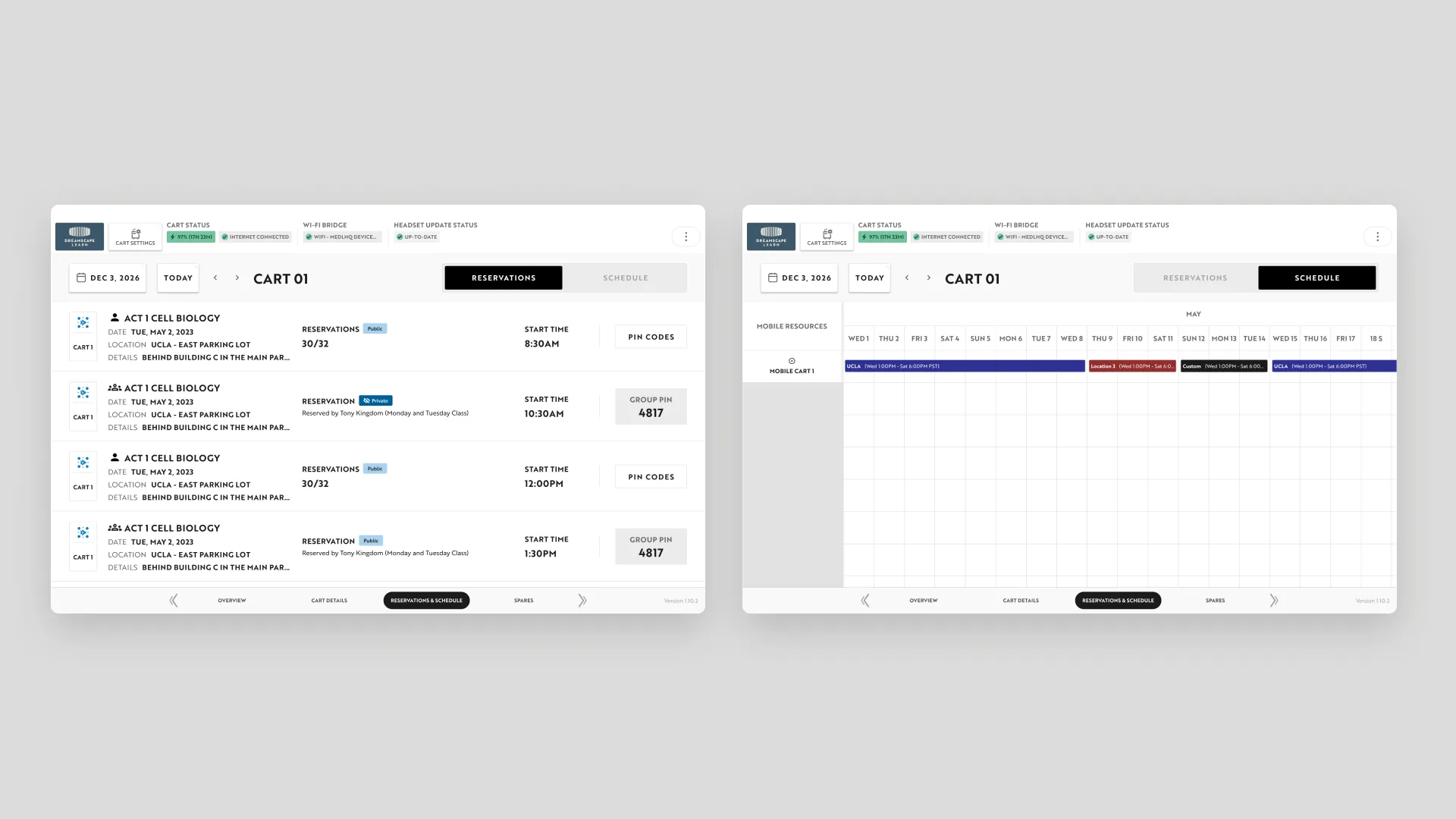
The schedule lives on the cart
The cart shows its reservations and schedule, including where it’s parked and the PIN codes groups use to start a session.
12Settings
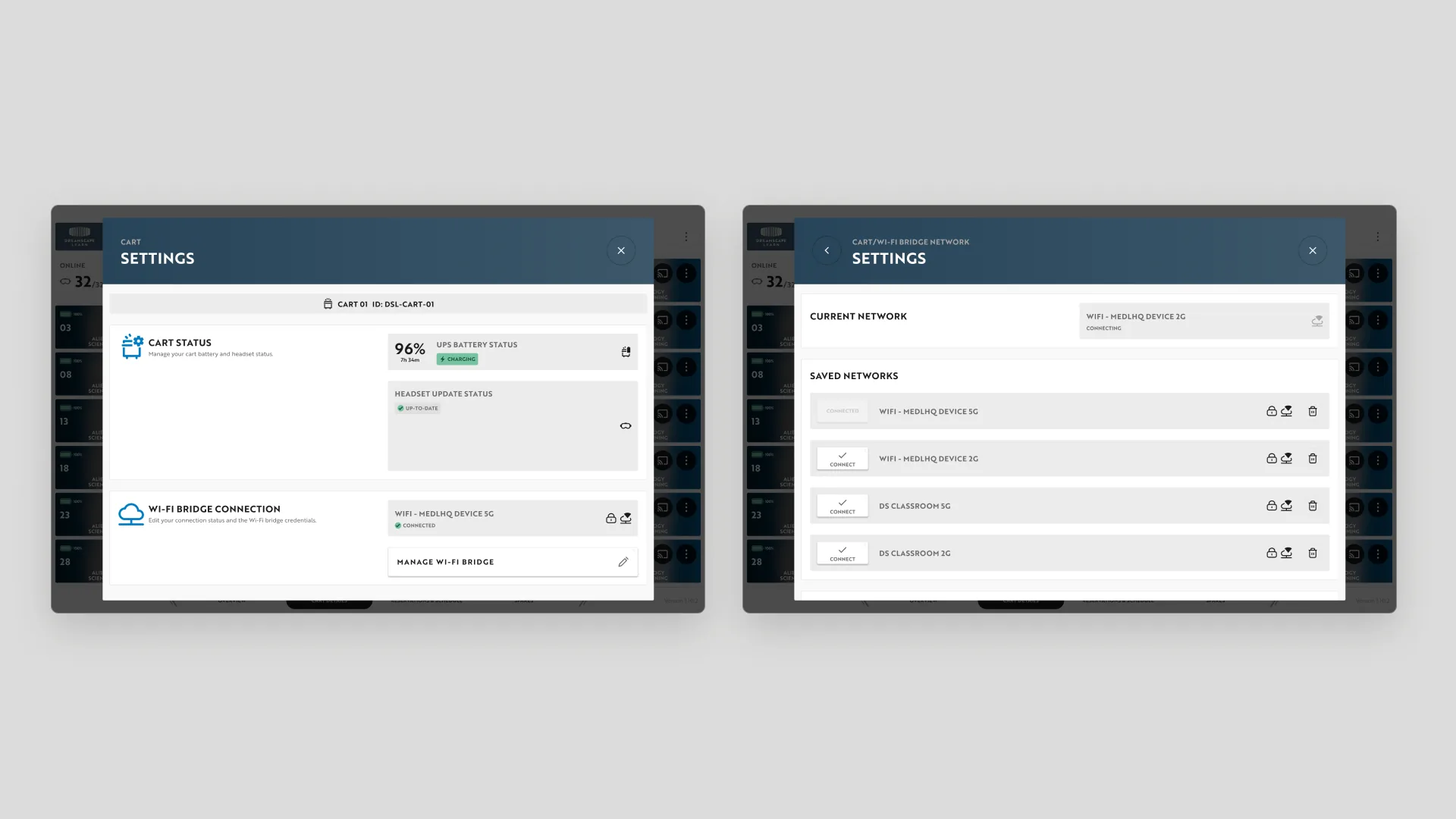
Cart and network settings
Settings cover the cart’s UPS battery, headset update status, and the Wi-Fi bridge, including switching between saved networks.
13Components
Built from atomic components
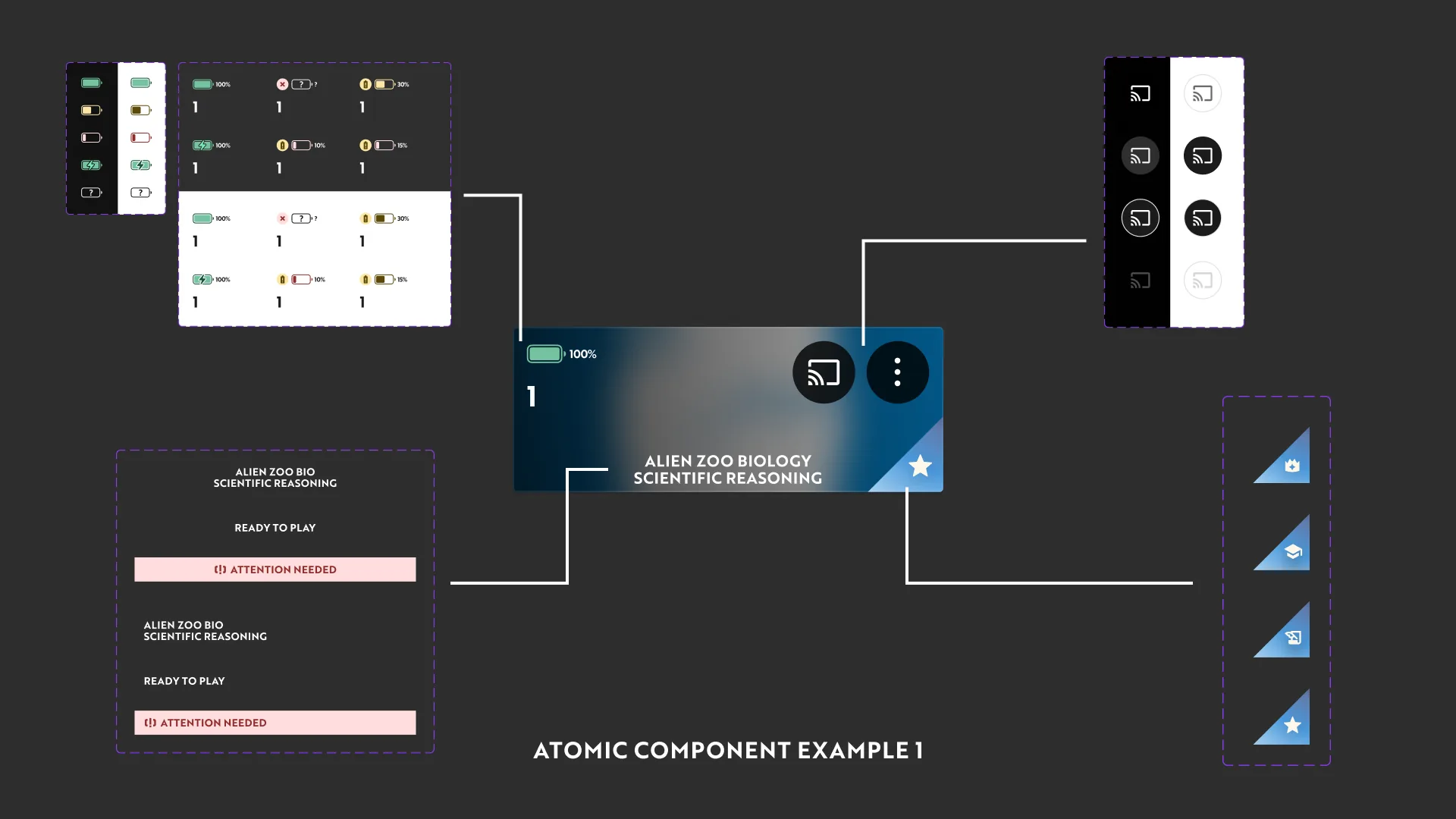
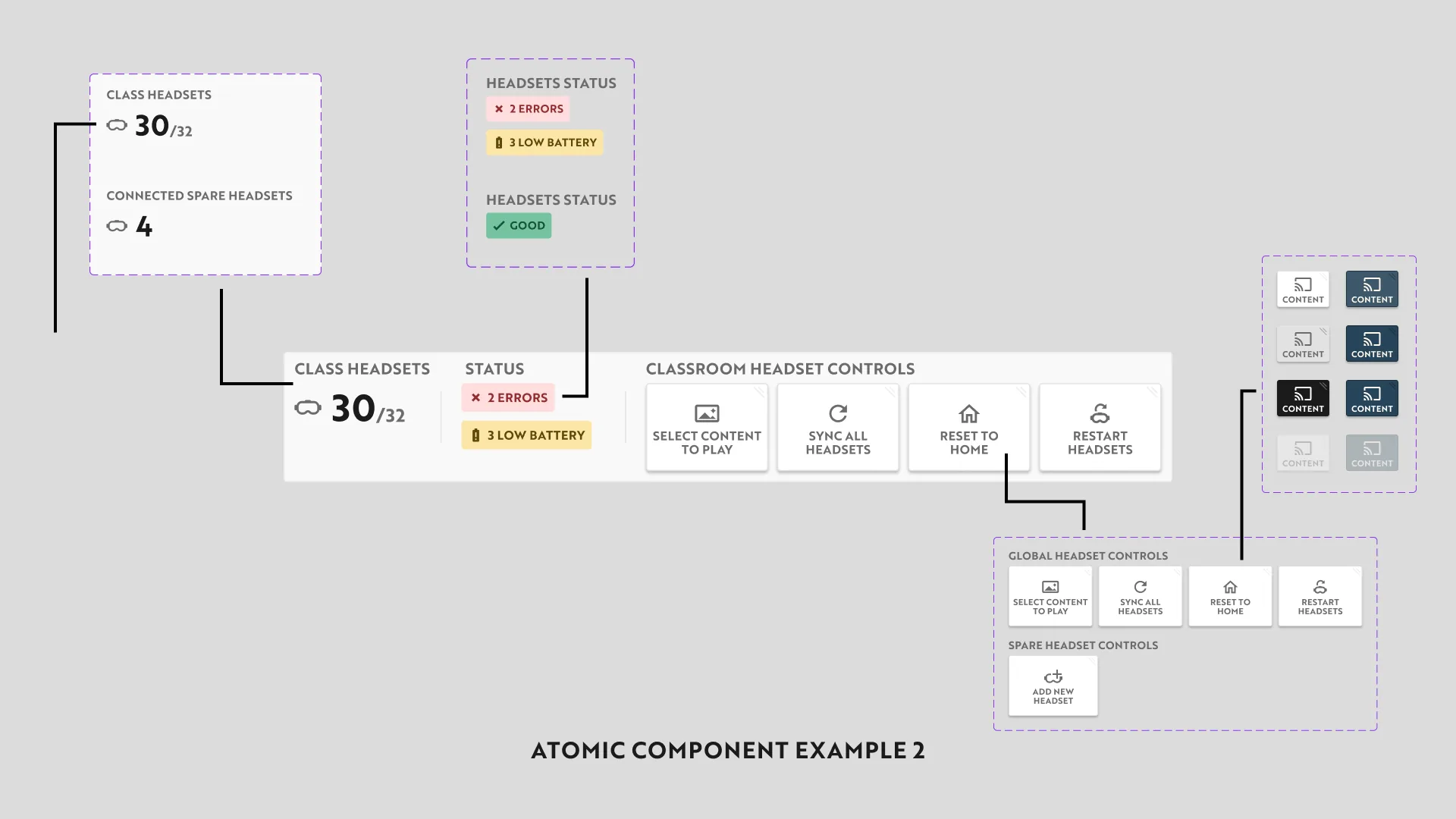
Cards and control bars are assembled from smaller parts, like battery indicators, cast buttons, status badges, and control buttons, each with its own set of variants.
14Outcome
Shipped
The Cart Manager launched on the tablets built into Dreamscape Learn’s headset carts.