Dreamscape Learn Control Center
01The challenge
Scheduling VR classes at scale
Staff needed one place to schedule sessions across every pod, and educators needed to book those sessions for a single learner or a whole class, without double-booking anything.
02Access
Signing in to Control Center
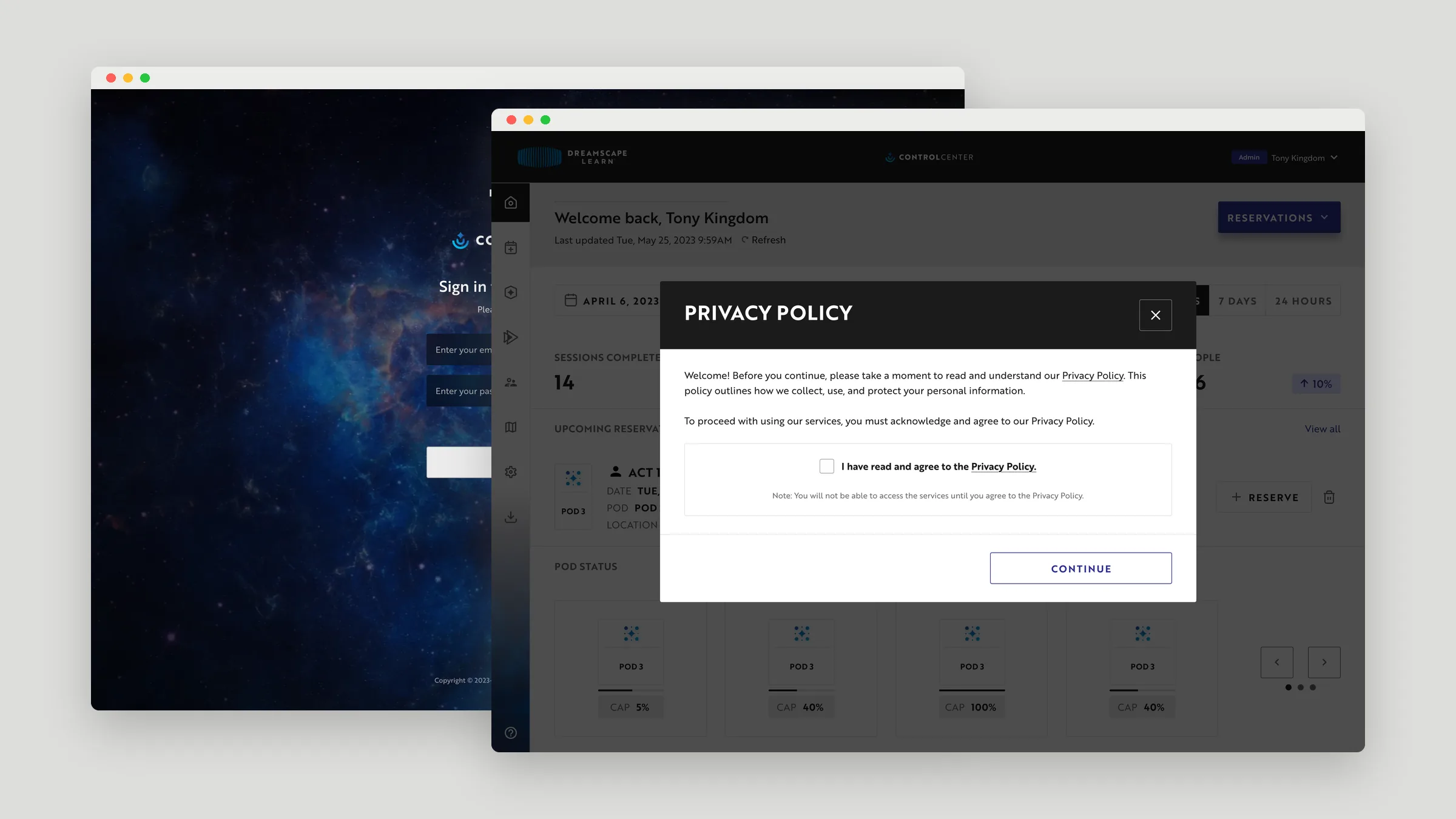
Sign-in, sign-up with email verification, and password reset share a deep-space backdrop. Before reaching the dashboard, users accept the privacy policy, and they’re asked again whenever it’s updated.
03Dashboard & scheduling
Every pod at a glance
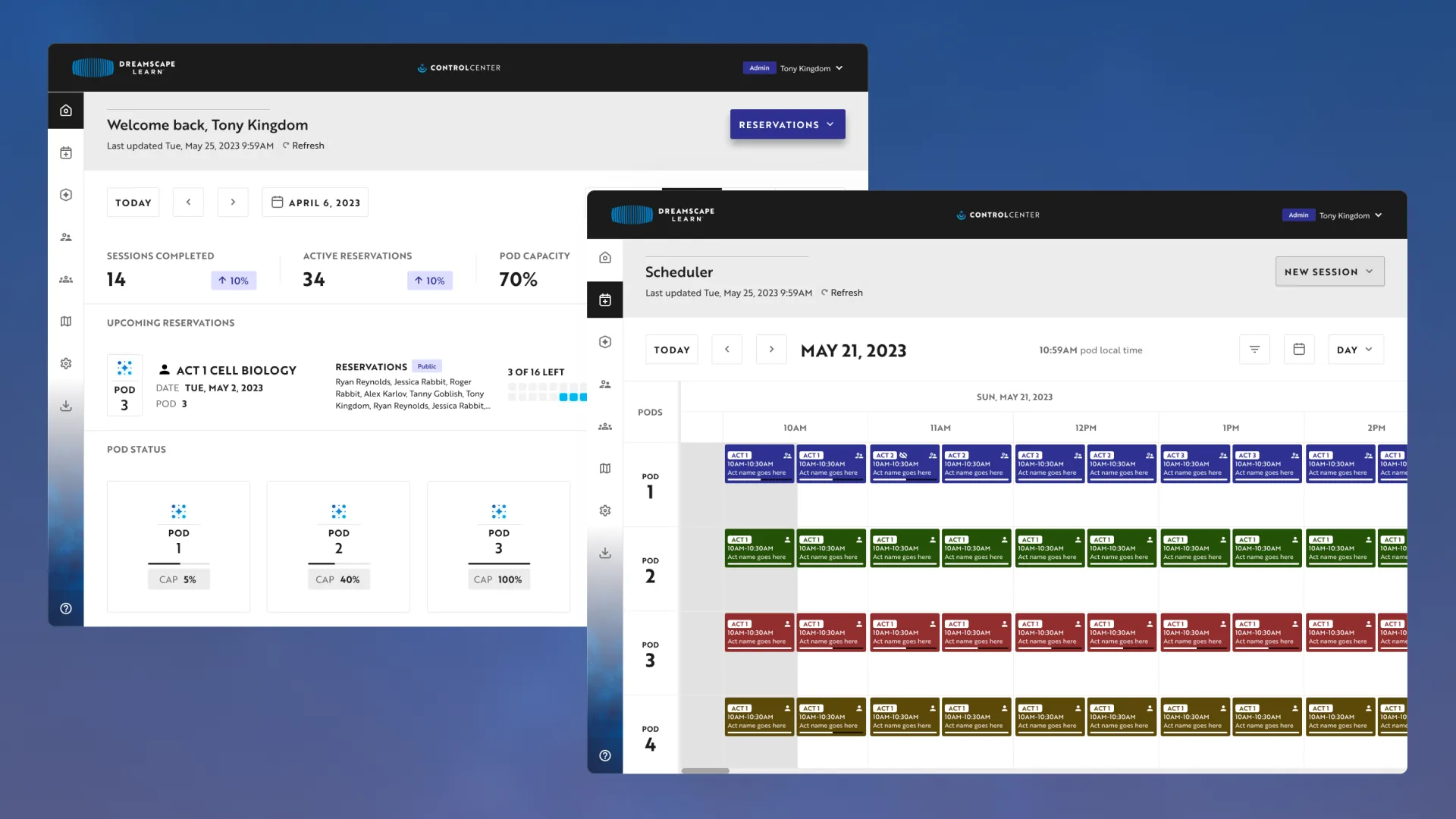
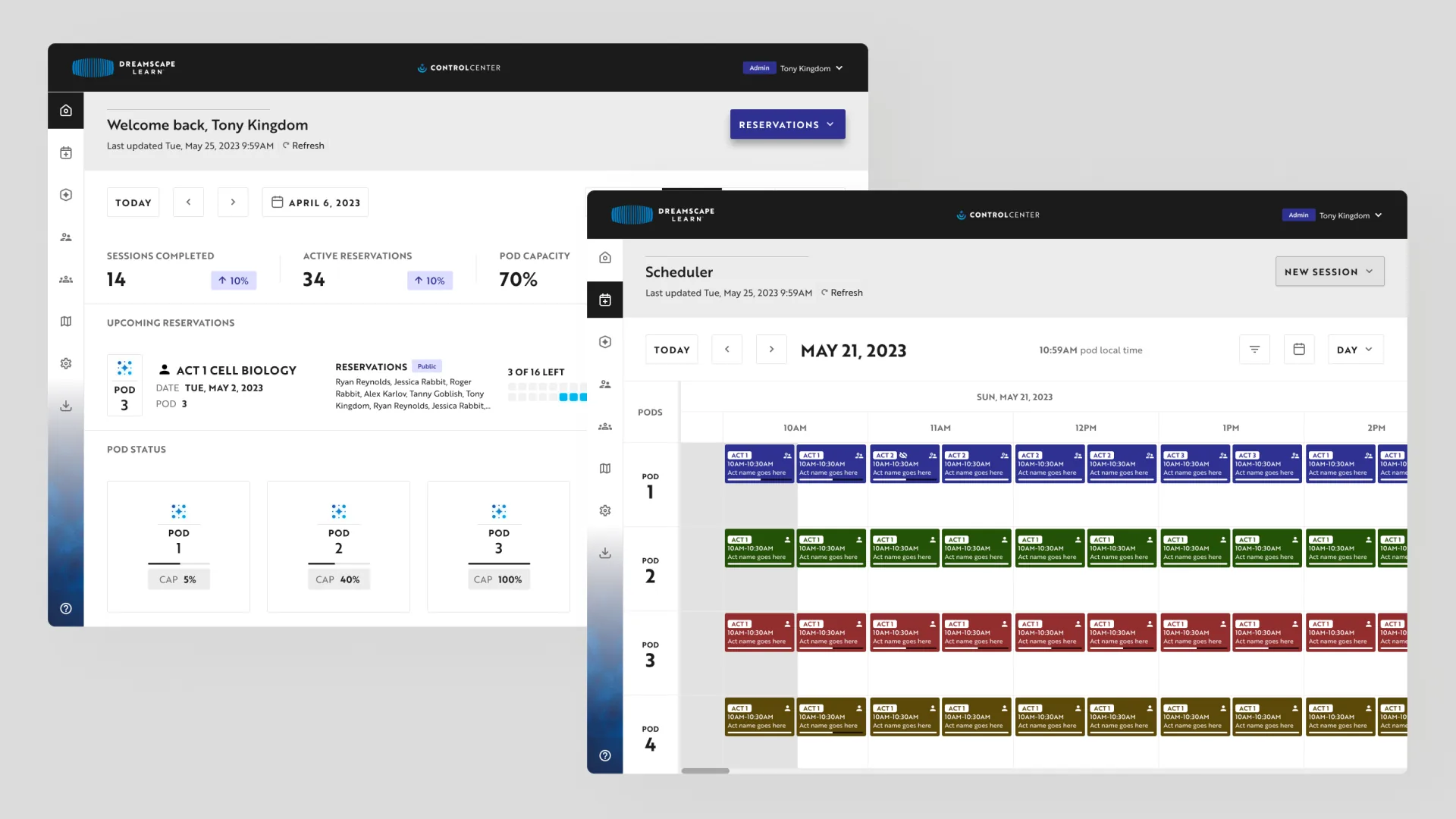
Staff land on a dashboard showing the day’s sessions, active reservations, and pod capacity, then move into a scheduler that lays out every pod’s sessions on one timeline.
04Roles
A dashboard for each role
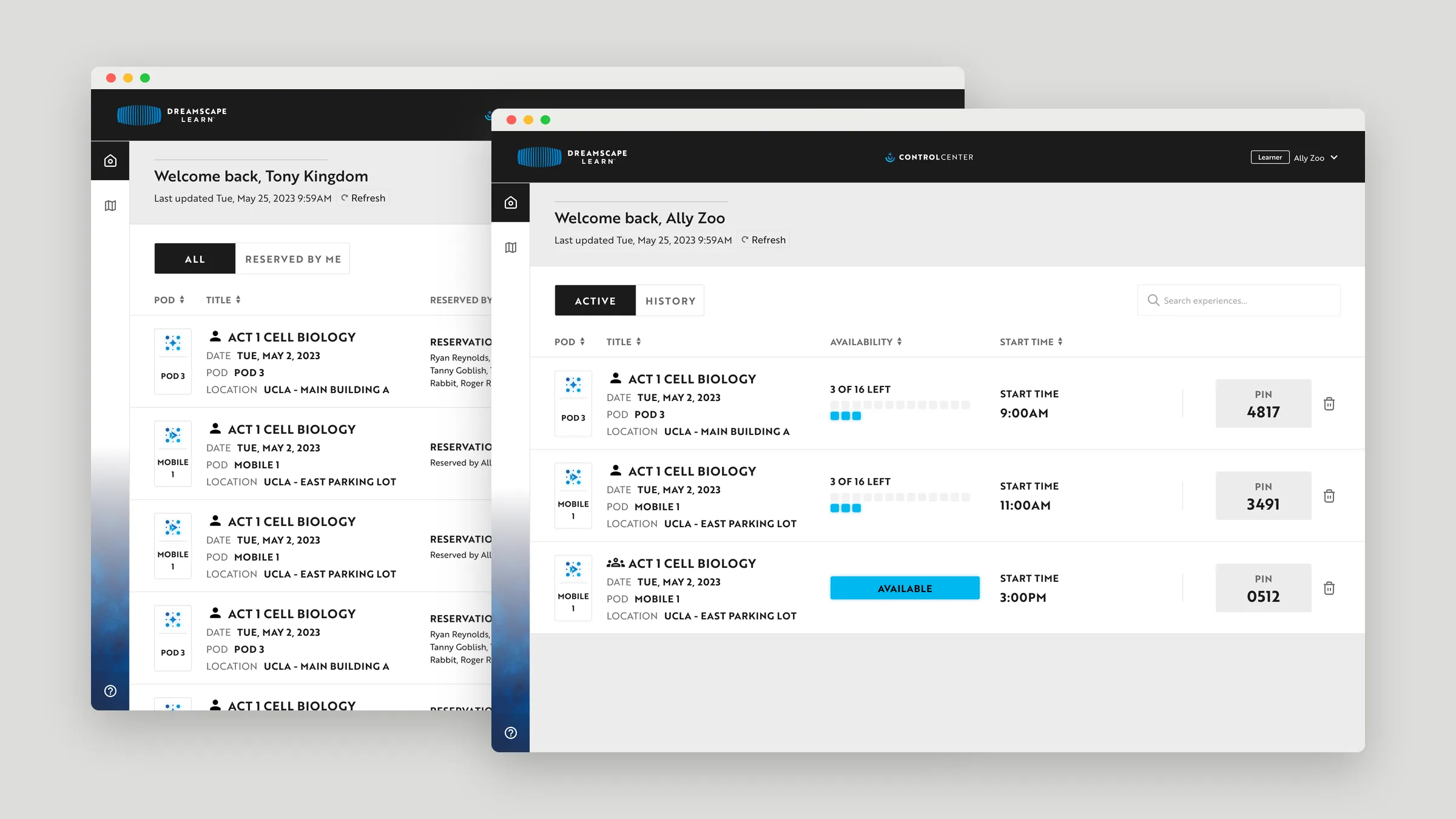
Instructors see every upcoming session, who reserved it, and the roster, filtered to all reservations or just their own. Learners see their active and past reservations with the PIN they need to start.
05Locations
Switching between locations
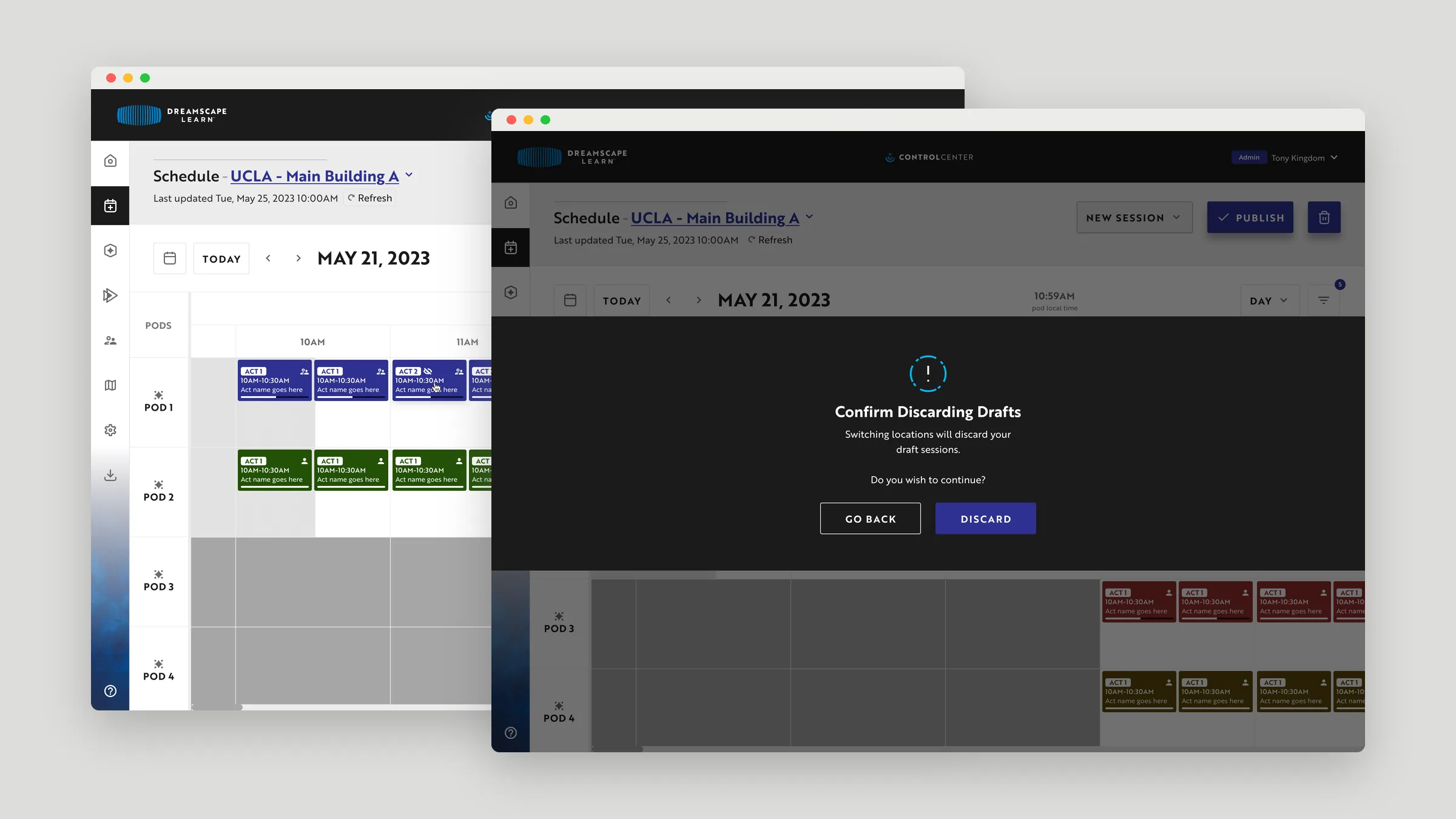
Switching locations reloads the schedule and narrows the pod list to that location. If unpublished drafts would be lost, staff are asked to confirm first.
06Design system
Tokens with light and dark modes
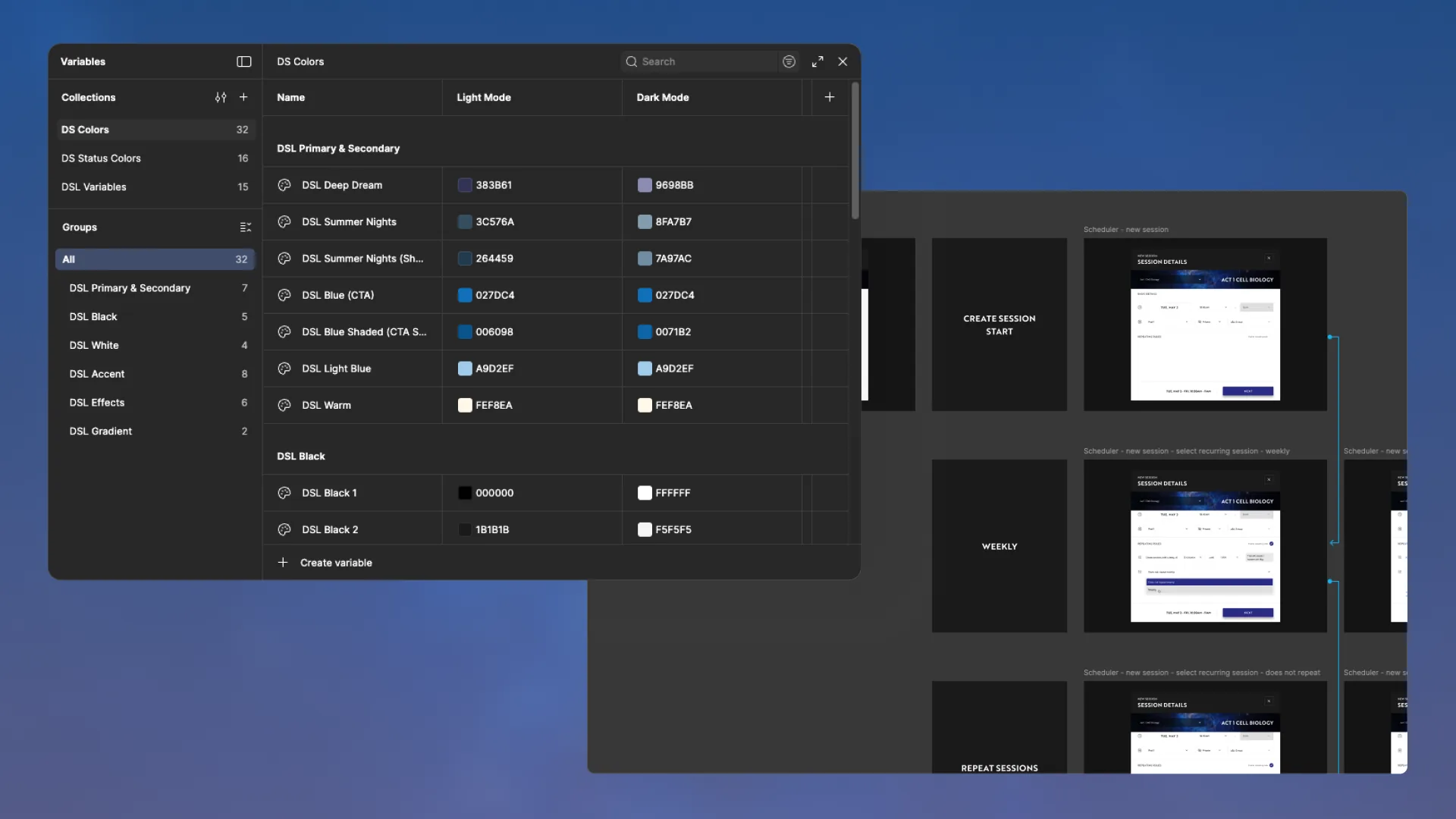
Colors are set up as Figma variables with light- and dark-mode values, and the prototype maps each branch of a flow, such as weekly versus one-time sessions.
07Edge cases
Catching conflicts before publishing
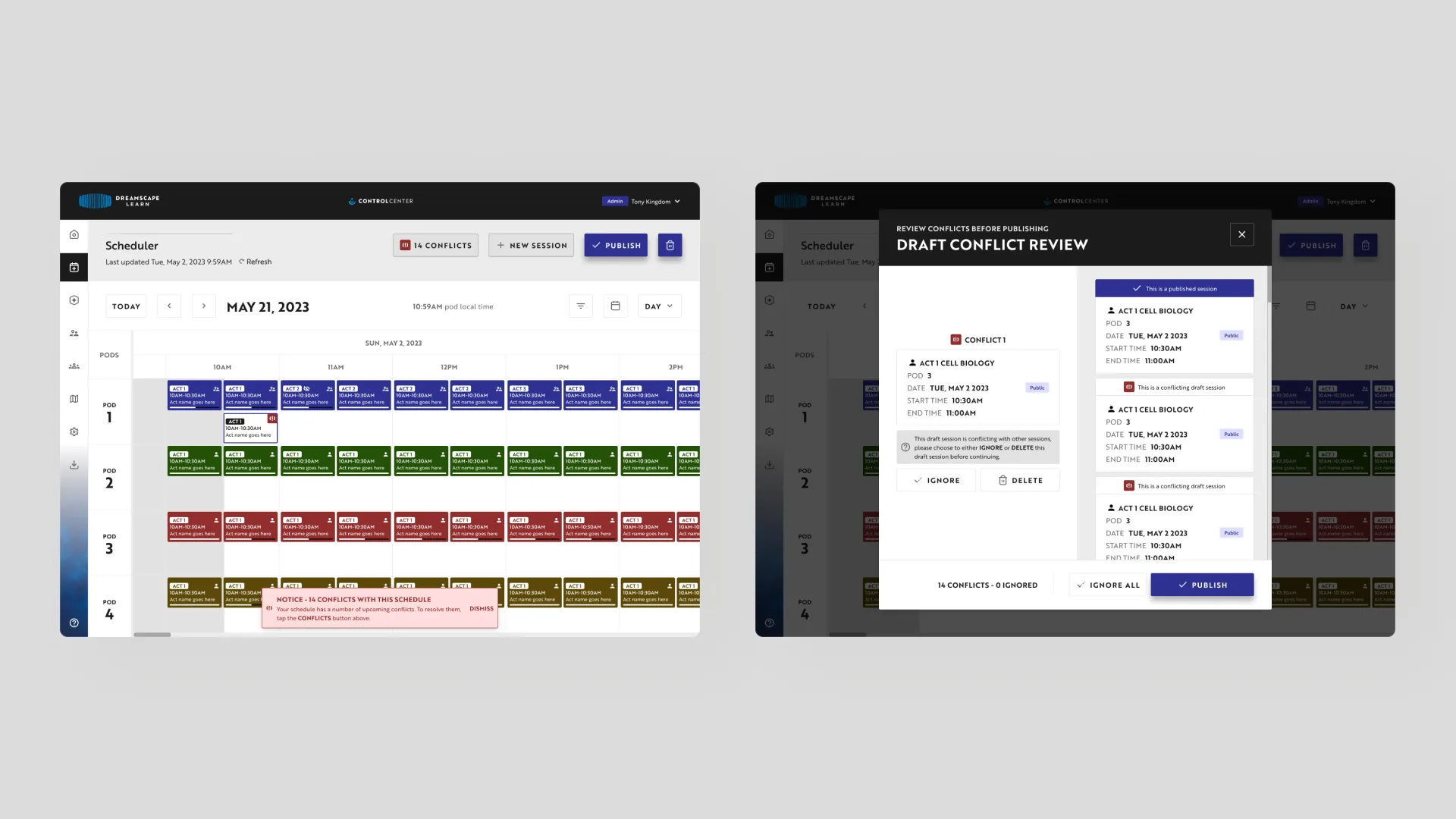
Schedules start as drafts. When a draft overlaps an existing session, the scheduler flags it, and a review step lets staff ignore or delete each conflict before publishing.
08Reservations
Individual and group bookings
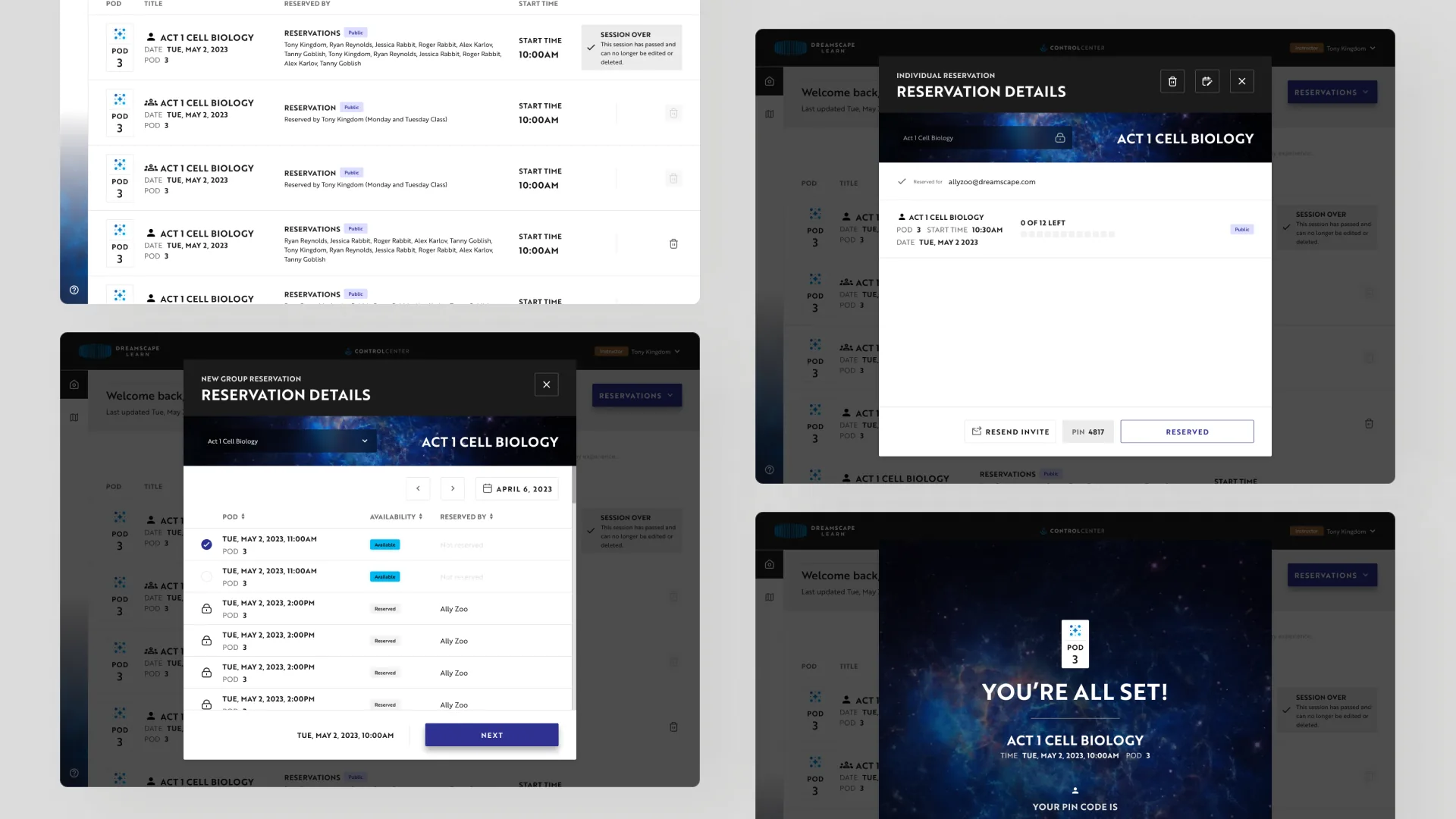
Reservations can be made for one learner or a whole class. Each booking ends with a confirmation and a PIN code that the group uses to start its session.
09Mobile
The same flow on a phone
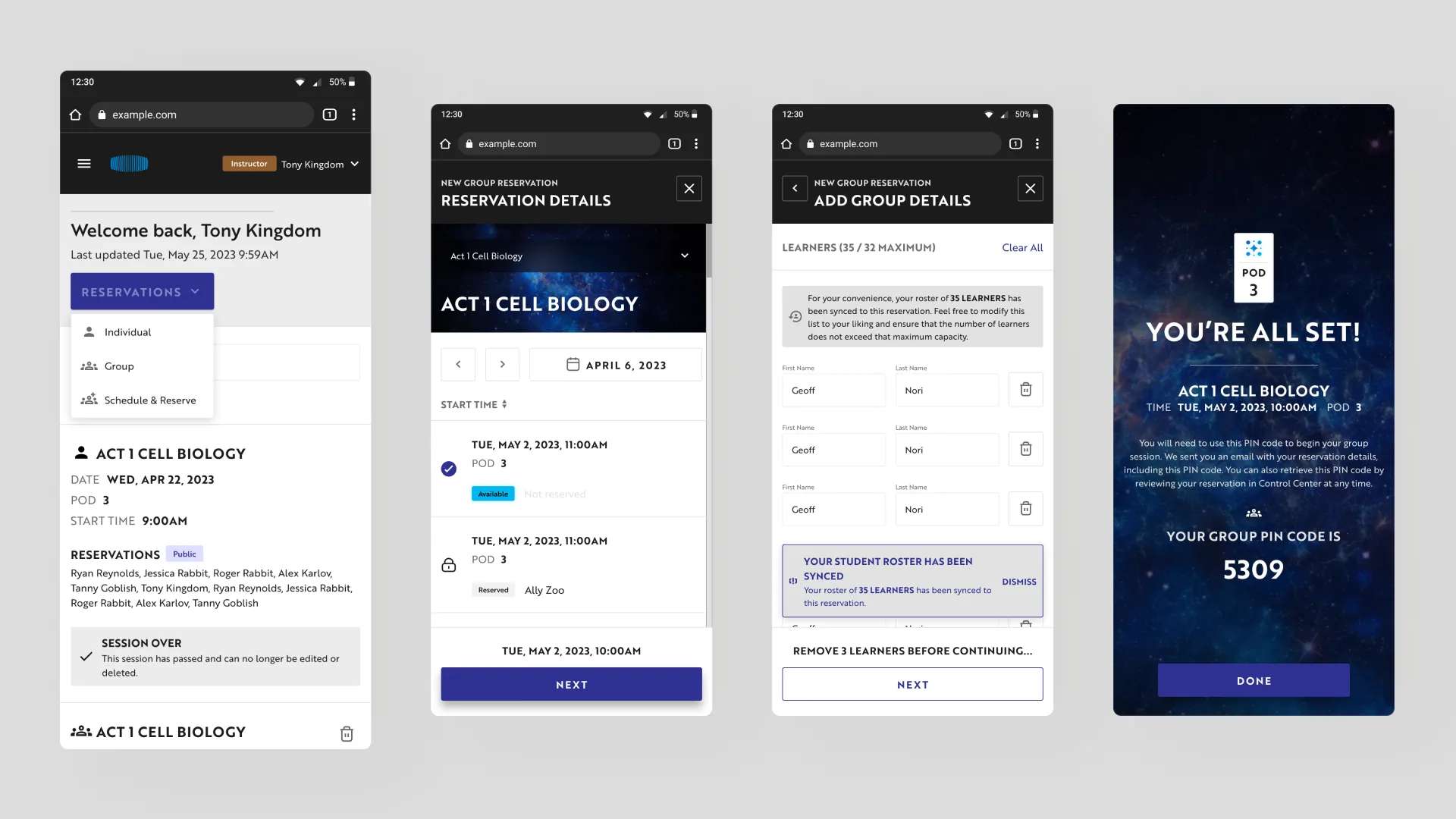
The reservation flow adapts to mobile, including syncing a class roster and flagging when it goes over the pod’s maximum.
10Mobile
Learners on their phones
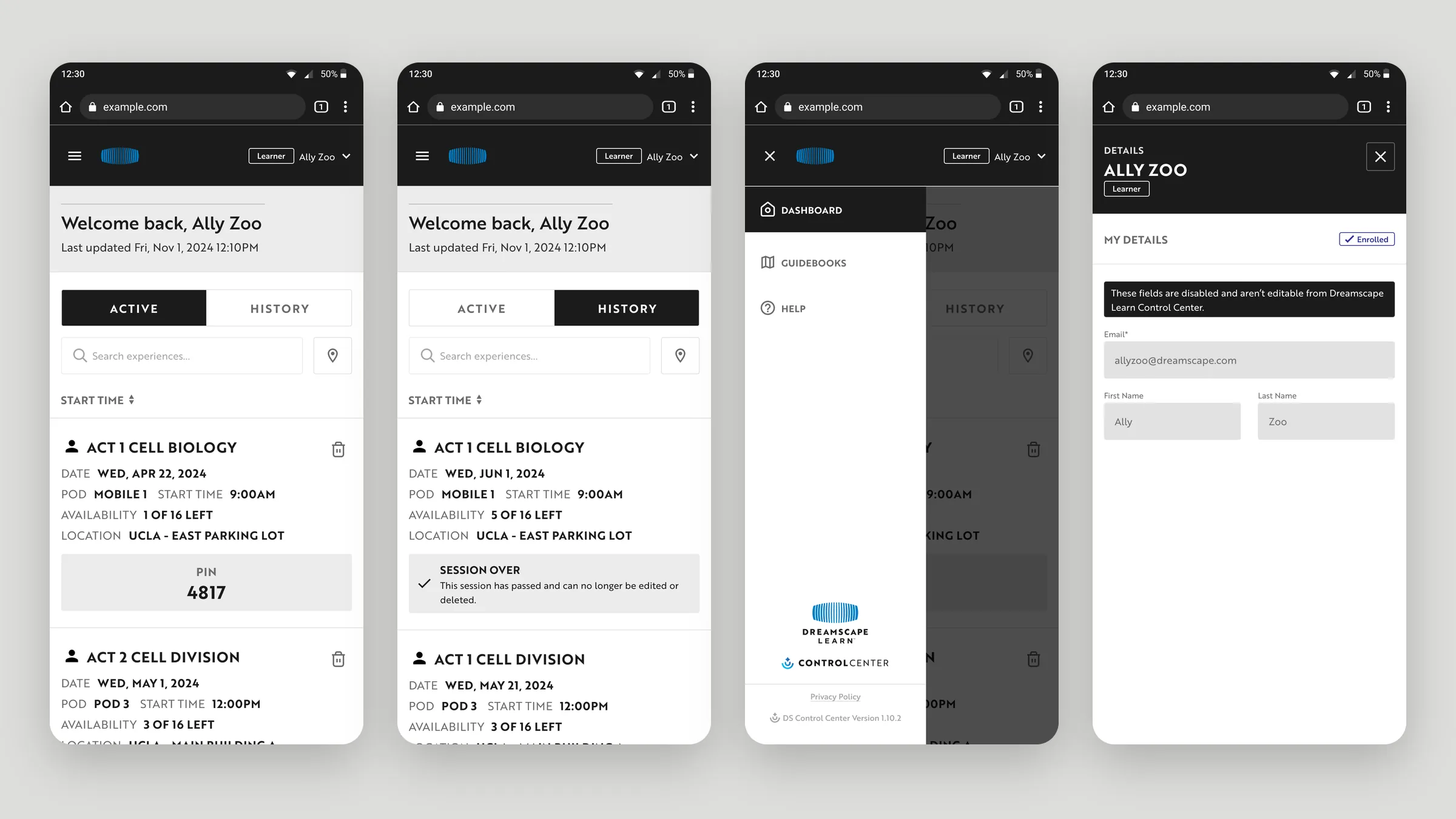
On a phone, learners switch between active and past reservations, open the menu to reach guidebooks and help, and view their account details.
11People
Managing people
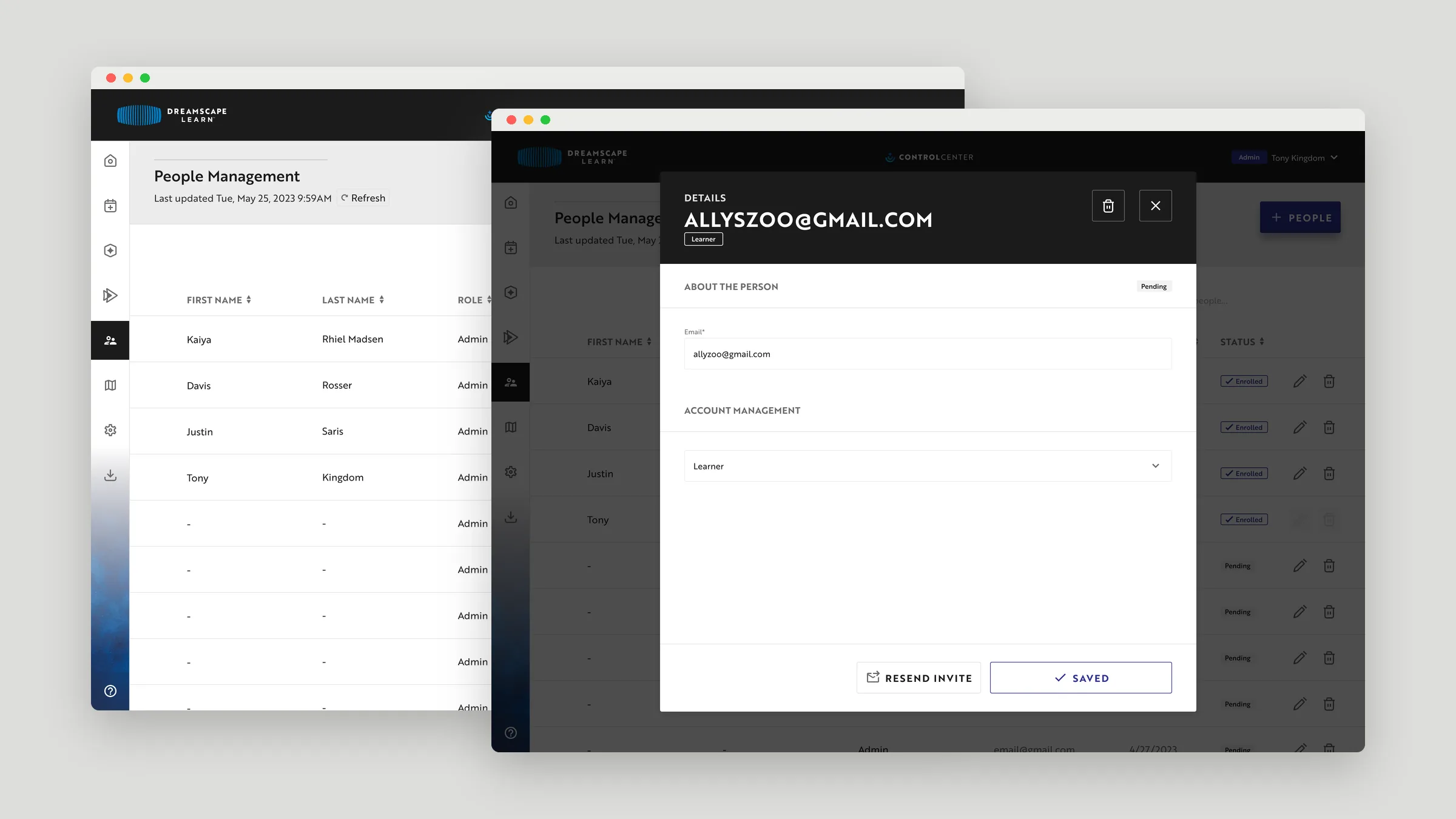
Admins manage everyone in one table with each person’s role and status, remove people in batches, and invite new users by email with a role, resending invites when needed.
12Error states
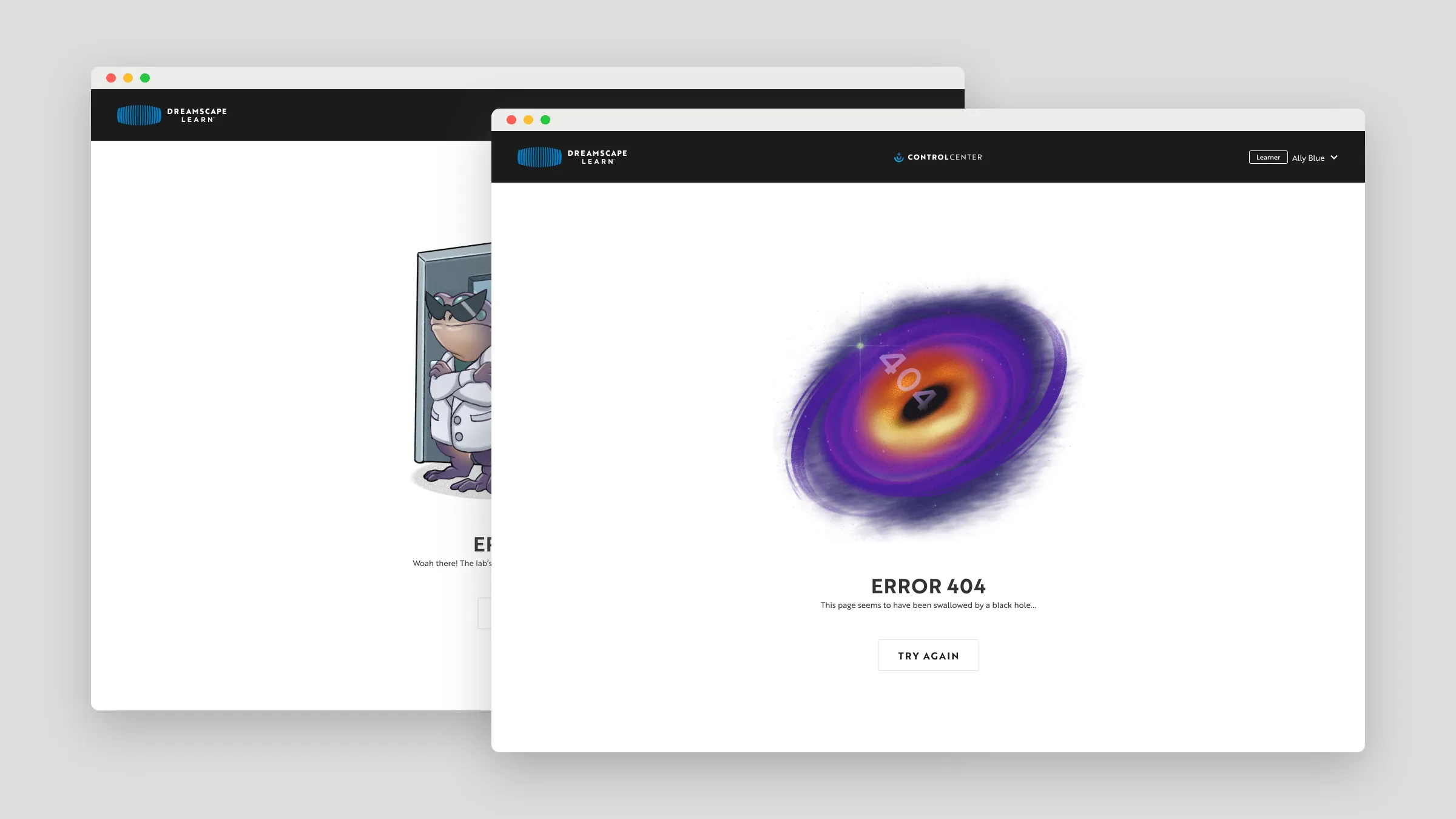
Even the errors fit the world
Error pages for unauthorized access and missing pages carry Dreamscape’s illustrated style, each with a clear way back.
13Outcome
Shipped
The Control Center launched as Dreamscape Learn’s scheduling and reservation platform.